Indicatorsonthescreen
CapsLockindicator
PresstheCapsLockkeytoenabletheCapsLockmodetotypeallalphabeticcharacters(A-Z)inuppercase
directly.
Wirelessstatusindicator
PressF9toenableordisablethewirelessfeatures.Youcanquicklychangethepowerstateofeachfeature
inthelist.Forinformationonthewirelessfeatures,referto“Wirelessconnections”napágina27.
Locatingimportantproductinformation
Thissectionprovidesinformationtohelpyoulocateyourmachinetypeandmodellabel,theMicrosoft
®
CerticateofAuthenticity(COA)label.
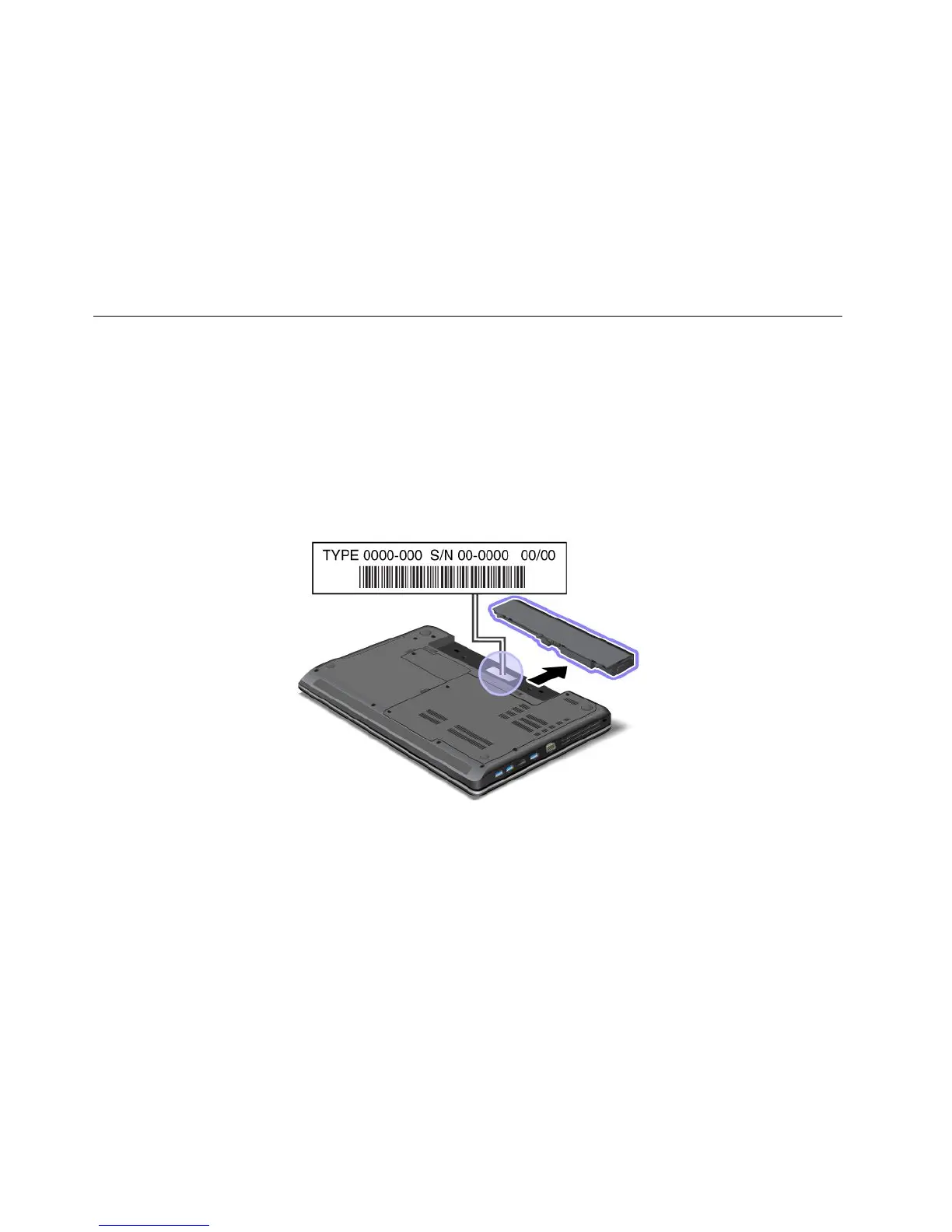
Machinetypeandmodellabel
Themachinetypeandmodellabelidentiesyourcomputer.WhenyoucontactLenovoforhelp,themachine
typeandmodelinformationhelpssupporttechnicianstoidentifyyourcomputerandprovidefasterservice.
Youcanndthemachinetypeandmodelofyourcomputeronthelabelasshownbelow:
CerticateofAuthenticitylabel
TheCerticateofAuthenticitylabelforthepreinstalledoperatingsystemisattached.Printedonthislabelare
theproductIDandtheproductkeyinformationforyourcomputer.Recordthisinformationandkeepitina
safeplace.Youmightneedthesenumberstostartyourcomputerorreinstalltheoperatingsystem.
Nota:TheCerticateofAuthenticitylabelonlyappliestocomputerspreinstalledwiththeWindows7
operatingsystem.
8UserGuide



 To Next Page