•Wirelessdevicedrivers
Fordetailedinformationonthewirelessfeatures,referto“Wirelessconnections”napágina27
.
Multimediacontrols
F10:Previoustrack/scene
F11:Playorpause
F12:Nexttrack/scene
Otherfunctions
Fn+B:HasthesamefunctionastheBreakkey.
Fn+P:HasthesamefunctionasthePausekey.
Fn+S:HasthesamefunctionastheSysRqkey.
Fn+C:HasthesamefunctionastheScrLKkey.
2Windowskey
OntheWindows7operatingsystem,presstheWindowskeytoopentheStartmenu.OntheWindows8
operatingsystem,presstheWindowskeytoswitchbetweenthecurrentworkspaceandtheStartscreen
YoualsocanusetheWindowskeytogetherwithanotherkeytoachieveotherfunctions.Fordetails,referto
thehelpinformationsystemoftheWindowsoperatingsystem.
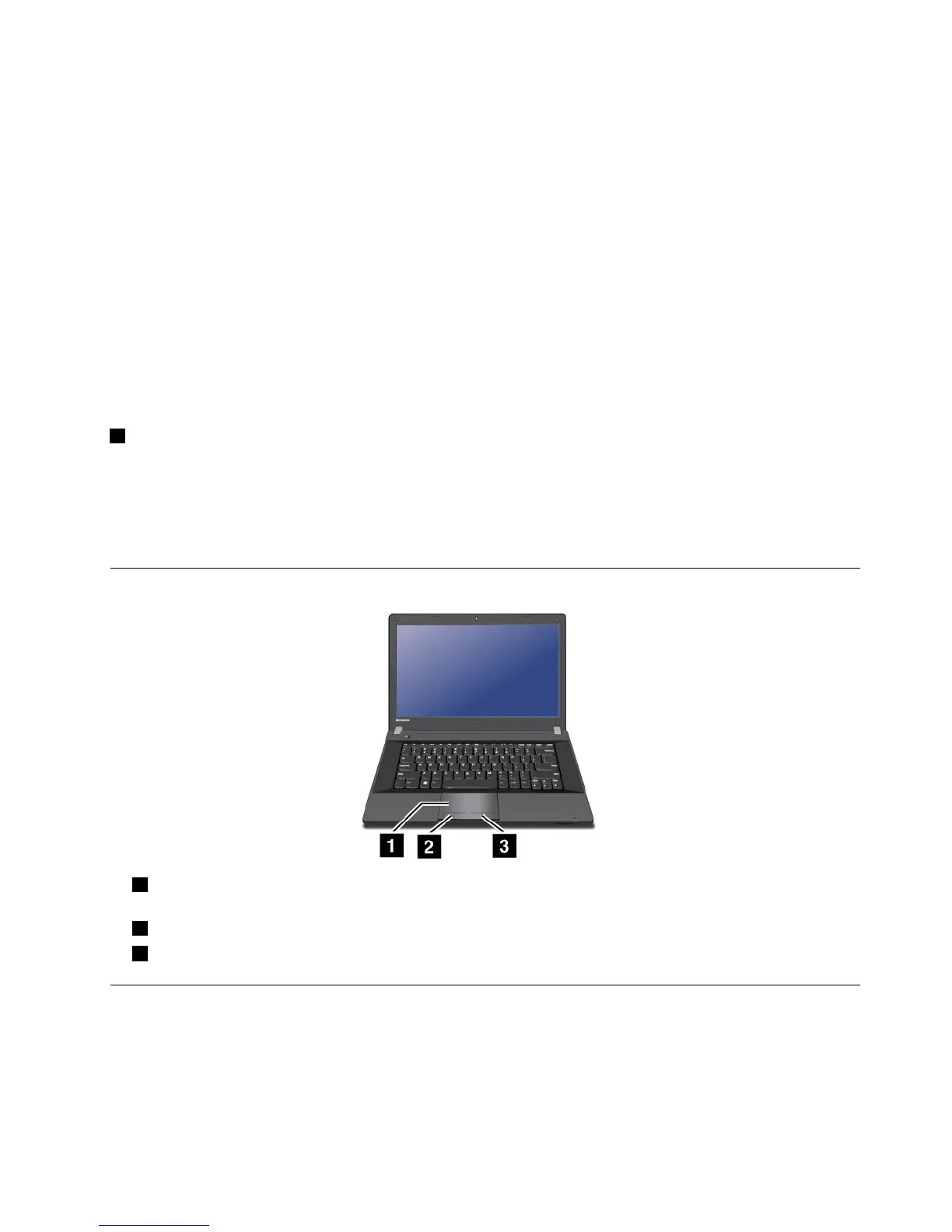
Usingthetouchpad
1Touchpad:T omovethecursoronthescreen,slideyourngertipoverthepadinthedirectionin
whichyouwantthecursortomove.
2Leftclickbutton:Functionsthesameastheleftbuttononaconventionalmouse.
3Rightclickbutton:Functionsthesameastherightbuttononaconventionalmouse.
Powermanagement
Whenyouneedtouseyourcomputerawayfromelectricaloutlets,youdependonbatterypowertokeep
yourcomputerrunning.Differentcomputercomponentsconsumepoweratdifferentrates.Themoreyou
usethepower-intensivecomponents,thefasteryouconsumebatterypower.
Capítulo2.Usingyourcomputer21



 To Next Page