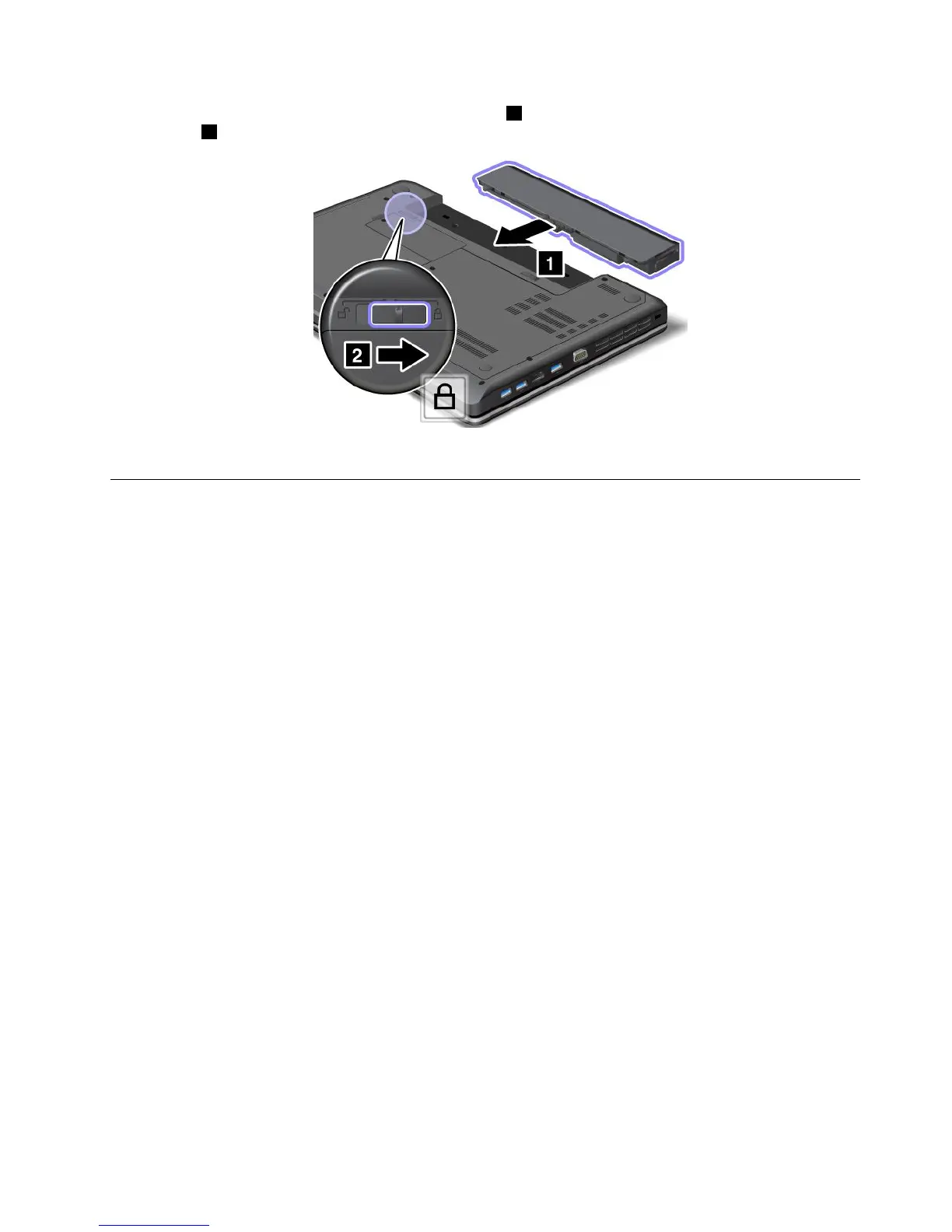
4.Insertafullychargedbatteryuntilitclicksintoplace1,andthenslidethebatterylatchtothelocked
position2.
5.T urnthecomputeroveragain.Connecttheacpoweradapterandallcables.
Replacingtheharddiskdrive
Beforeyoustart,printtheseinstructions.
Atenção:Theharddiskdriveisverysensitive.Incorrecthandlingcancausedamageandpermanentlossof
data.Observethefollowingguidelines:
•Replacetheharddiskdriveonlyifyouupgradeitorhaveitrepaired.Theconnectorsandslotofthehard
diskdrivearenotdesignedforfrequentchanges,ordriveswapping.
•Donotdropthedriveorsubjectittophysicalshocks.Putthedriveonamaterial,suchassoftcloth,that
absorbsanyphysicalshocks.
•Donotapplypressuretothecoverofthedrive.
•Donottouchtheconnector.
•Beforeremovingtheharddiskdrive,makeabackupcopyofalltheinformationonit,andthenturn
thecomputeroff.
•Neverremovethedrivewhilethecomputerisoperating,insleepmode,orinhibernationmode.
Toreplacetheharddiskdrive,dothefollowing:
1.T urnoffthecomputer;thendisconnecttheacpoweradapterandallcablesfromthecomputer.Wait
threetoveminutestoletthecomputercool.
2.Closethecomputerdisplay,andturnthecomputerover.
3.Removethebattery.See“Replacingthebattery”napágina49.
Capítulo5.Replacingdevices51



 To Next Page