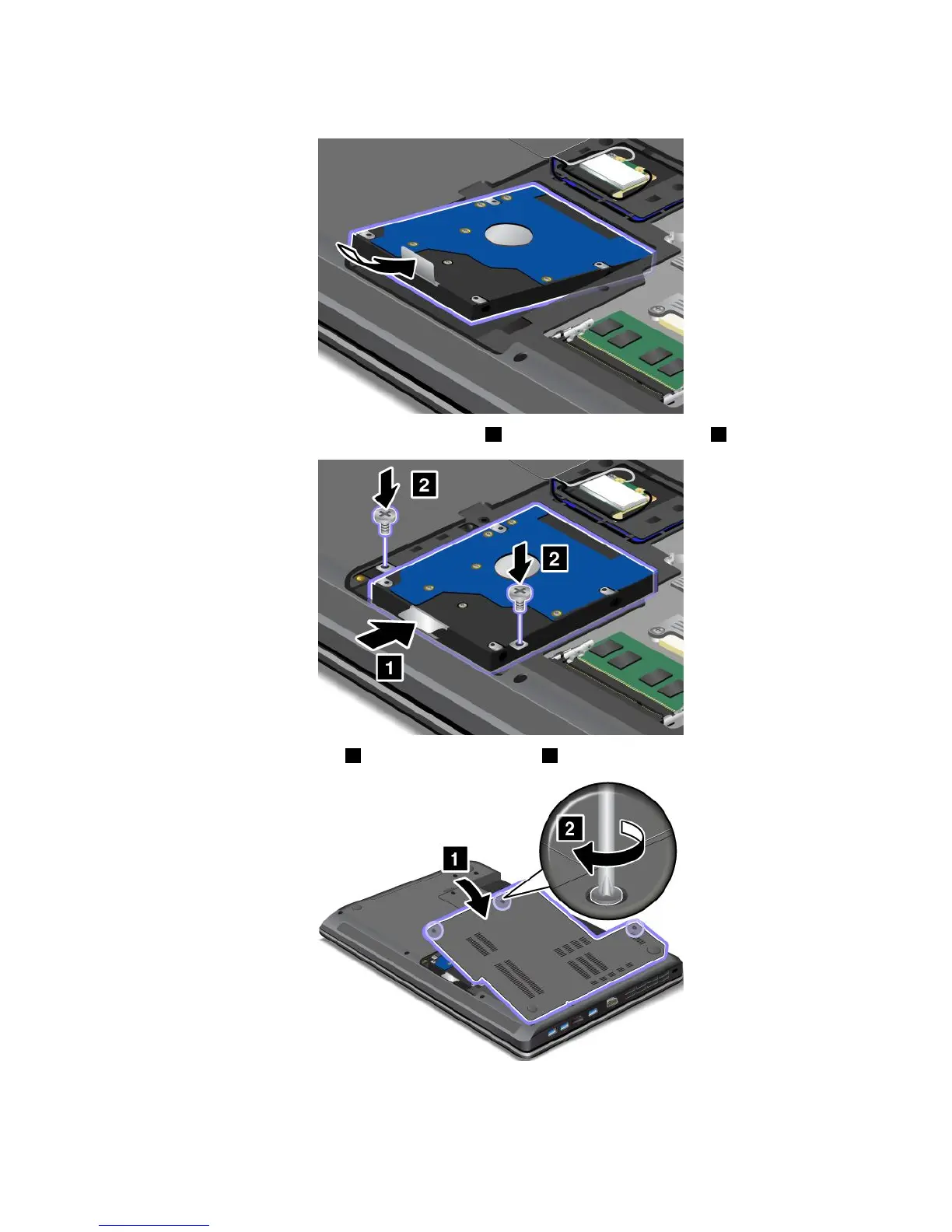
7.Placethenewharddiskdriveintotheharddiskdrivebay.
8.Slidetheharddiskdrivermlyintotheconnector1,andthenreinstallthescrews2.
9.Reinstallthecomputercover1.Thentightenthescrews2.
10.Reinstallthebattery.See“Replacingthebattery”napágina49.
11.T urnthecomputeroveragain.Connecttheacpoweradapterandallcables.
Capítulo5.Replacingdevices53



 To Next Page