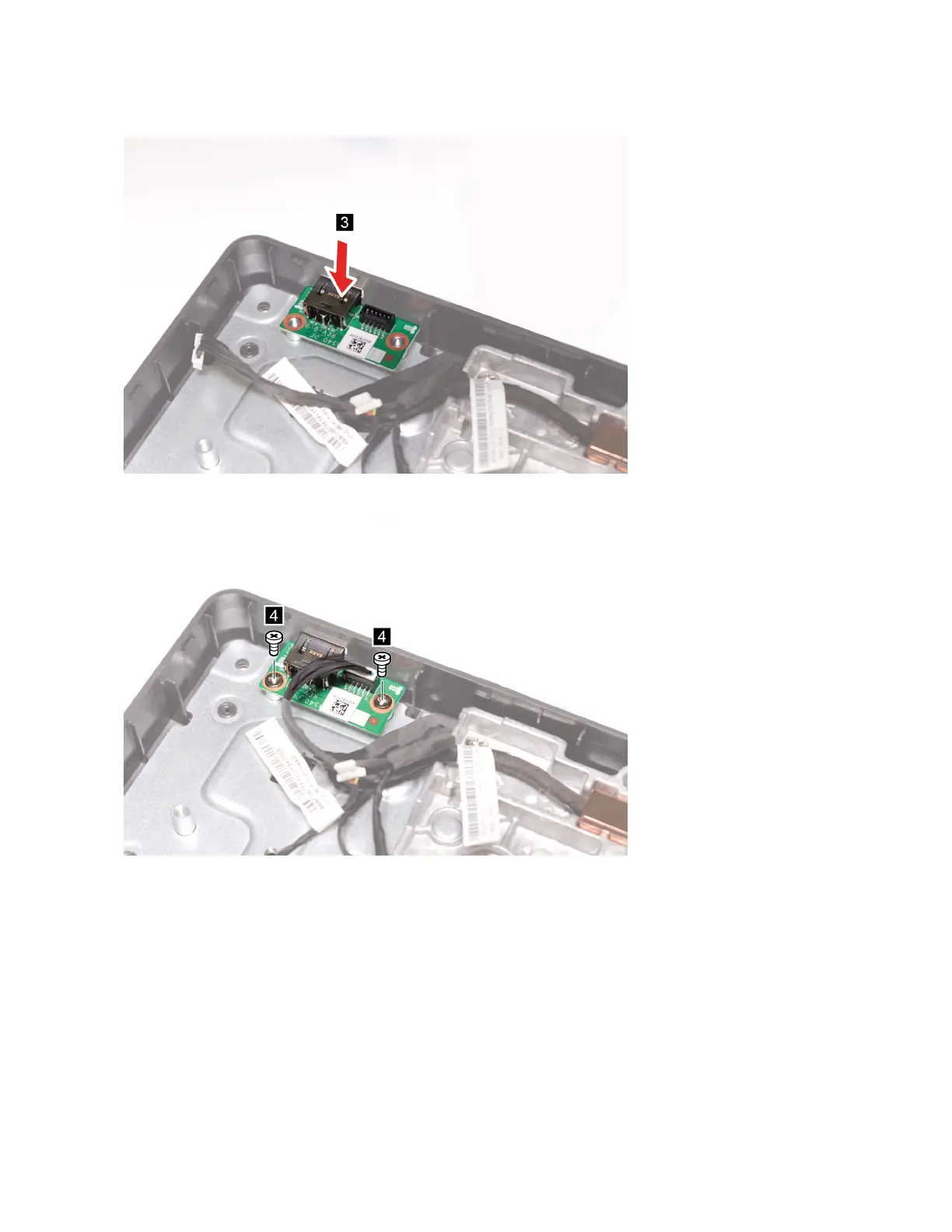
6. Install the new DC-in board.
7. Secure the DC-in board with the screws.
8. Reconnect the cable connectors to the DC-in board.
9. Reinstall the removed parts.
System stand
Prerequisite
Before you start, read Chapter 2 “Important service information” on page 27 and print the following
instructions.
Replacement procedure
1. Remove the hinge cover. See “Hinge cover” on page 57.
2. Remove the computer upper cover. See “Computer upper cover” on page 104.
118
IdeaCentre A540-24ICB and A540-24API Hardware Maintenance Manual



 To Next Page
 Loading...