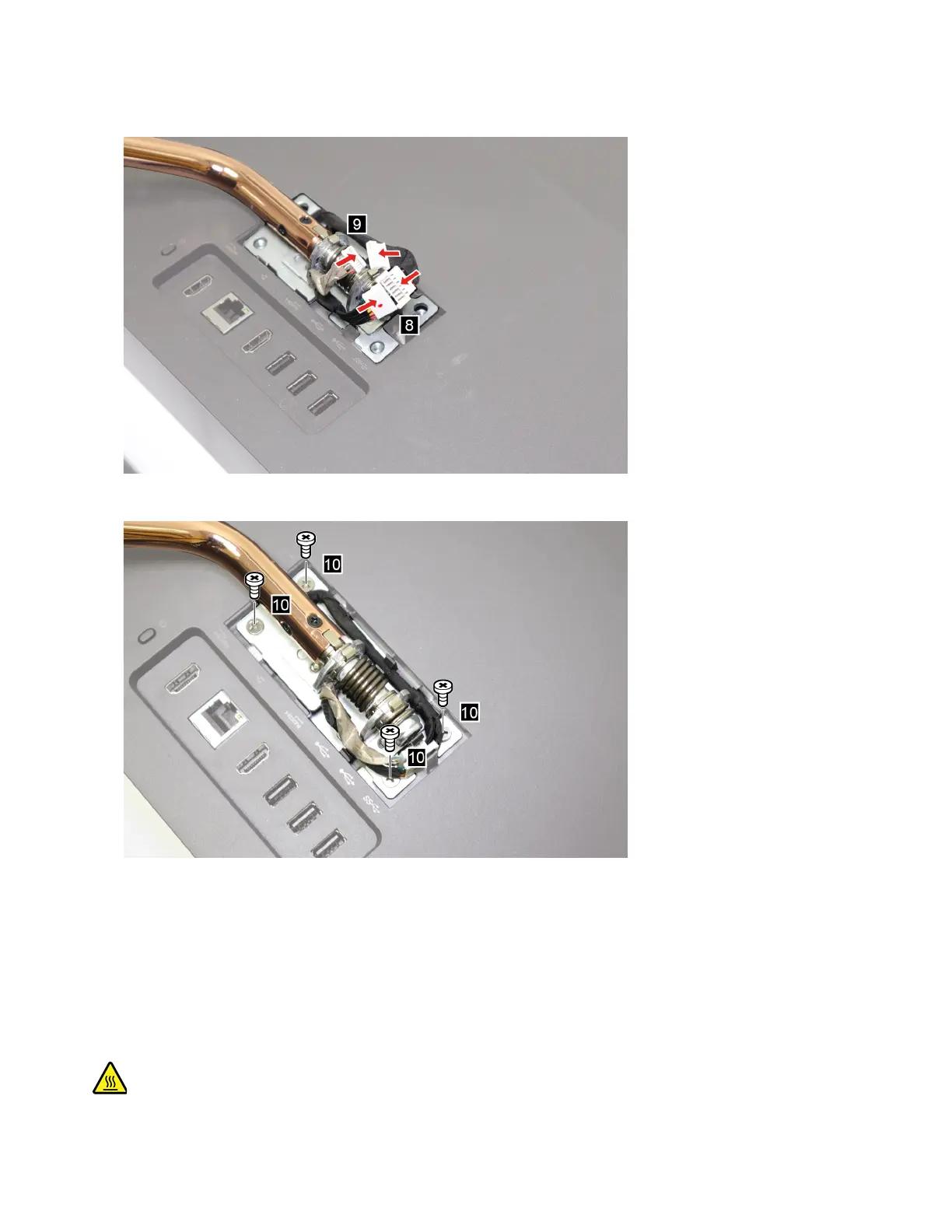
9. Connect the connectors.
10. Secure the computer back cover with the screws.
11. Place the computer in an upright position.
12. Reinstall the hinge cover.
System board frame
Prerequisite
Before you start, read Chapter 2 “Important service information” on page 27 and print the following
instructions.
62 IdeaCentre A540-24ICB and A540-24API Hardware Maintenance Manual



 To Next Page
 Loading...