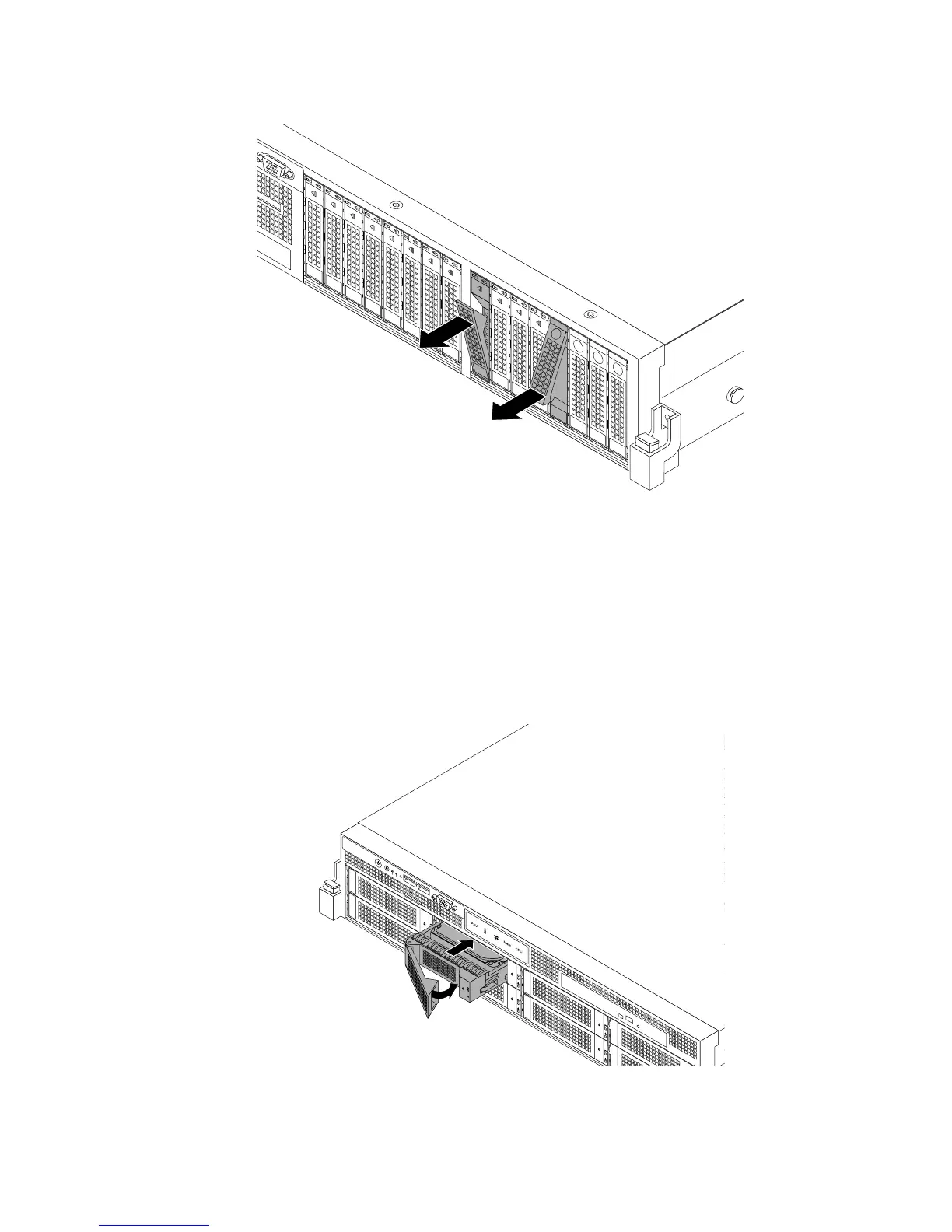
Figure108.Removingthe2.5-inchhot-swapharddiskdriveordummytray
3.Touchthestatic-protectivepackagethatcontainsthenewhot-swapharddiskdrivetoanyunpainted
surfaceontheoutsideoftheserver.Then,takethenewhot-swapharddiskdriveoutofthepackage.
Note:Donottouchthecircuitboardontheharddiskdrive.
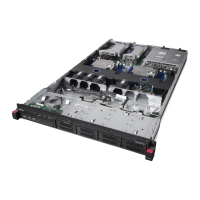
4.Slidethenewhot-swapharddiskdriveintothedrivebayfromthefrontuntilitsnapsintoposition
andthencompletelyclosethehandle.
Figure109.Installingthe3.5-inchhot-swapharddiskdrive
Chapter6.Installing,removing,orreplacinghardware151











 To Next Page