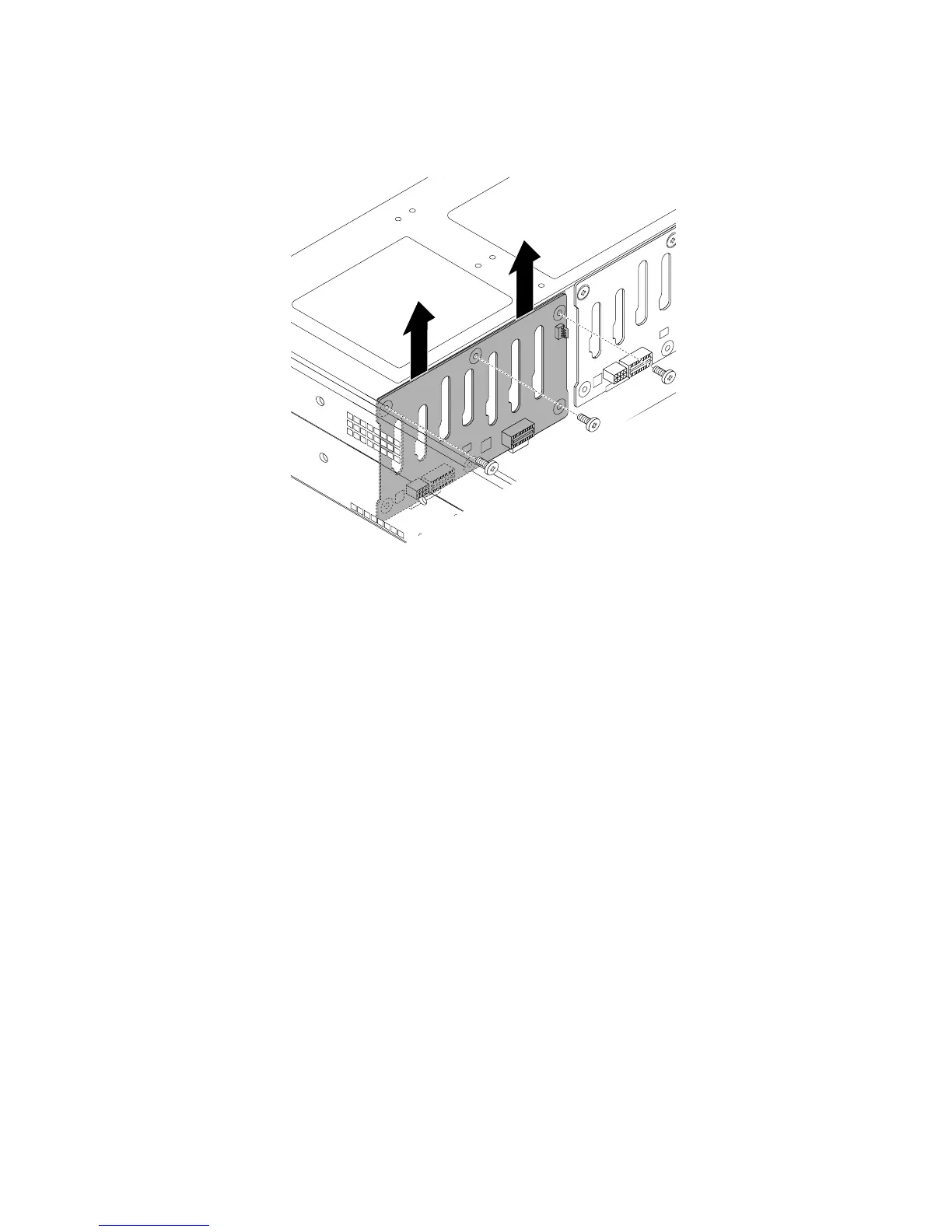
7.Removethethreescrewsthatsecurethebackplaneandthencarefullyliftthebackplaneoutofthe
chassis.
Figure117.Removingthebackplaneforservermodelswith2.5-inchharddiskdrivebays
8.Touchthestatic-protectivepackagethatcontainsthenewhot-swapharddiskdrivebackplanetoany
unpaintedsurfaceontheoutsideoftheserver.Then,removethenewbackplanefromthepackage.
Note:Carefullyhandlethebackplanebyitsedges.
158ThinkServerRD430UserGuide











 To Next Page