Lenze · E84AYCEO communication module (EtherNet/IP™) · Communication Manual · DMS 3.0 EN · 10/2013 · TD17 29
5 Installation
5.2 Electrical installation
_ _ _ _ _ _ _ _ _ _ _ _ _ _ _ _ _ _ _ _ _ _ _ _ _ _ _ _ _ _ _ _ _ _ _ _ _ _ _ _ _ _ _ _ _ _ _ _ _ _ _ _ _ _ _ _ _ _ _ _ _ _ _ _
5.2.3 EtherNet/IP connection
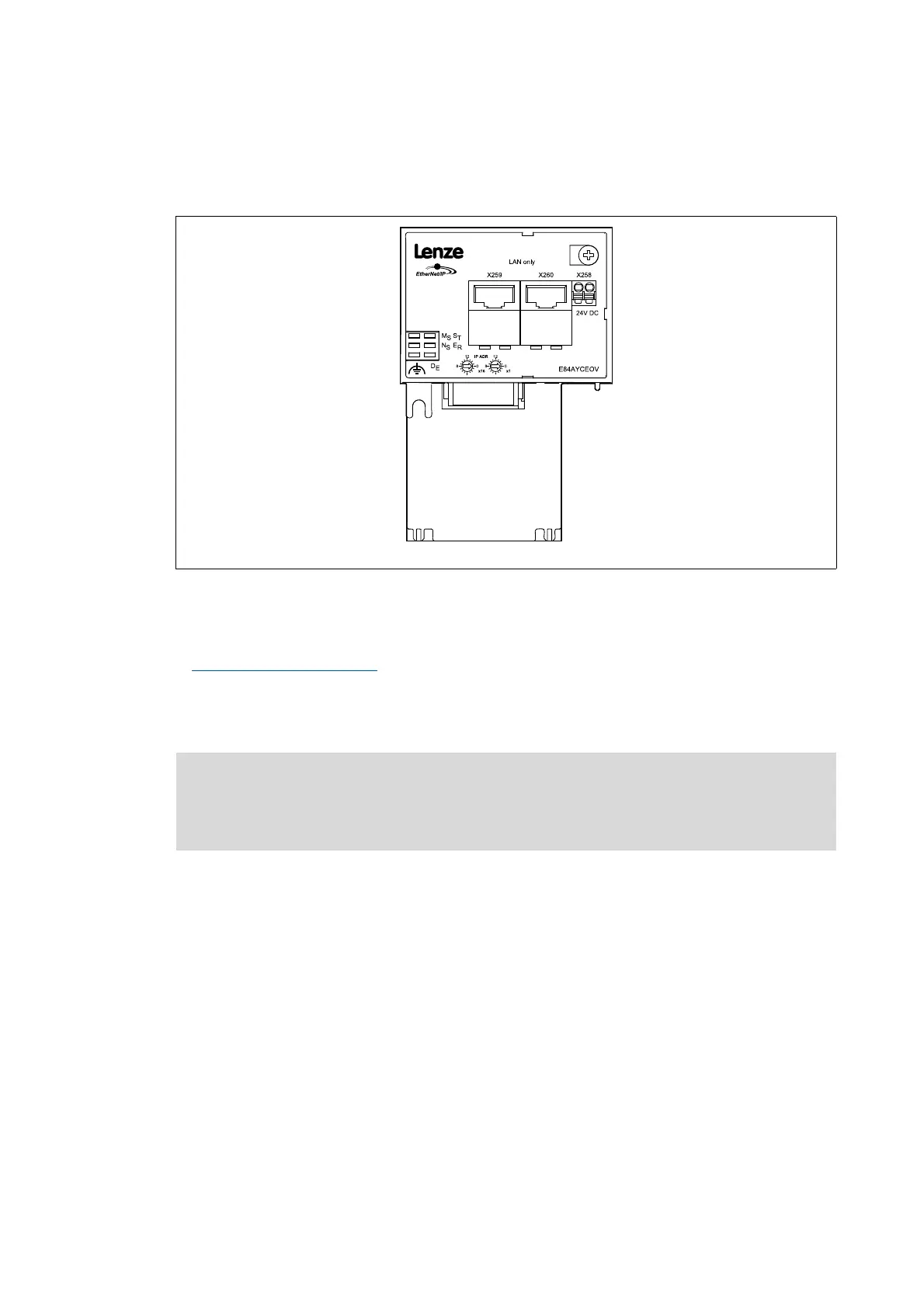
A connection to the EtherNet/IP network is established via RJ45 sockets X259 and X260.
[5-8] EtherNet/IP terminals X259 and X260
For connection of the communication module to the EtherNet/IP fieldbus, a standard Ethernet
patch cable is suitable.
Ethernet cable specification
( 31)
The installation and removal of the Ethernet cables is optimised for the use of connectors in
accordance with the "Automation Initiative of German Domestic Automobile Manufacturers"
(AIDA).
E84AYCEO005_2
Note!
To prevent the RJ45 socket from being damaged, insert or remove the Ethernet cable
connector straight (at a right angle) into or from the socket.


 To Next Page