Live View
Snapshot:
You can capture a still image shot by the camera and save it in your computer.
Press , and a snapshot window will appear.
Click “Save” to save the picture in your computer.
Click “Close” to return to the view page.
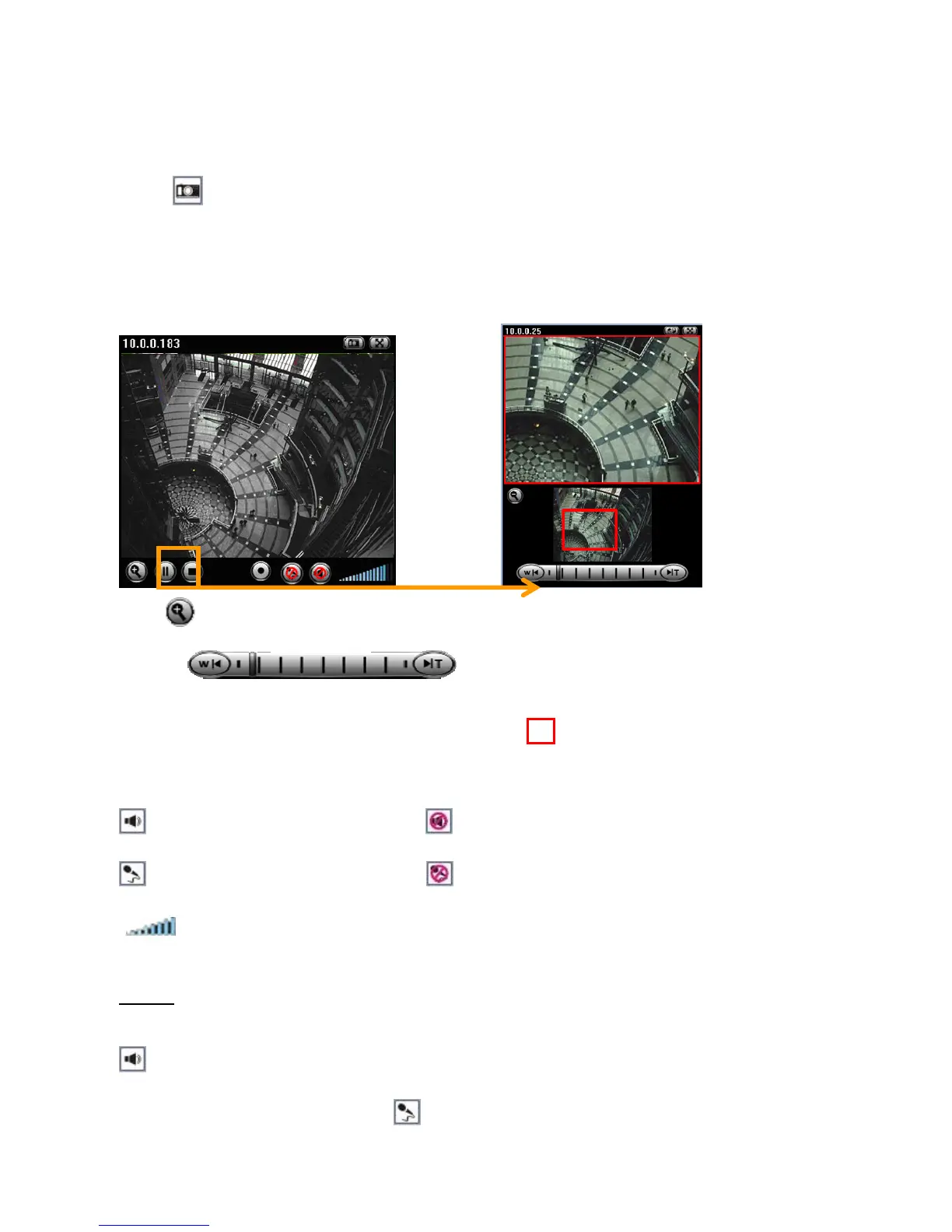
Digital Zoom in / out the image via the monitor window
Click to display the digital zoom in window.
Pull the to adjust the digital zoom range, and it will be
showed on the above window.
You can use the left click of your mouse to move the to any where on the window.
Audio buttons:
:Speakers turned on. :Speakers turned off.
:Microphone turned on. :Microphone turned off.
: Volume control bar.
Note
:
Audio function is only available in Network cameras which support 2-way audio.
It means the speakers of your computer are turned on to transmit the sounds from the
connected IP camera(s). Similarly, means you can broadcast to the connected IP















 To Next Page