set all ports as the corresponding attributes)#
Click the "add / modify" button below"
Delete VLAN
Check the delete selection box behind the corresponding VLAN ID in the VLAN list below,
and click the "delete" button to delete the corresponding VLAN#
VLAN 1 is the default VLAN and cannot be deleted. Click "select all" to select all VLANs
except VLAN 1 and delete all VLANs except VLAN 1"
2. Port-based VLAN
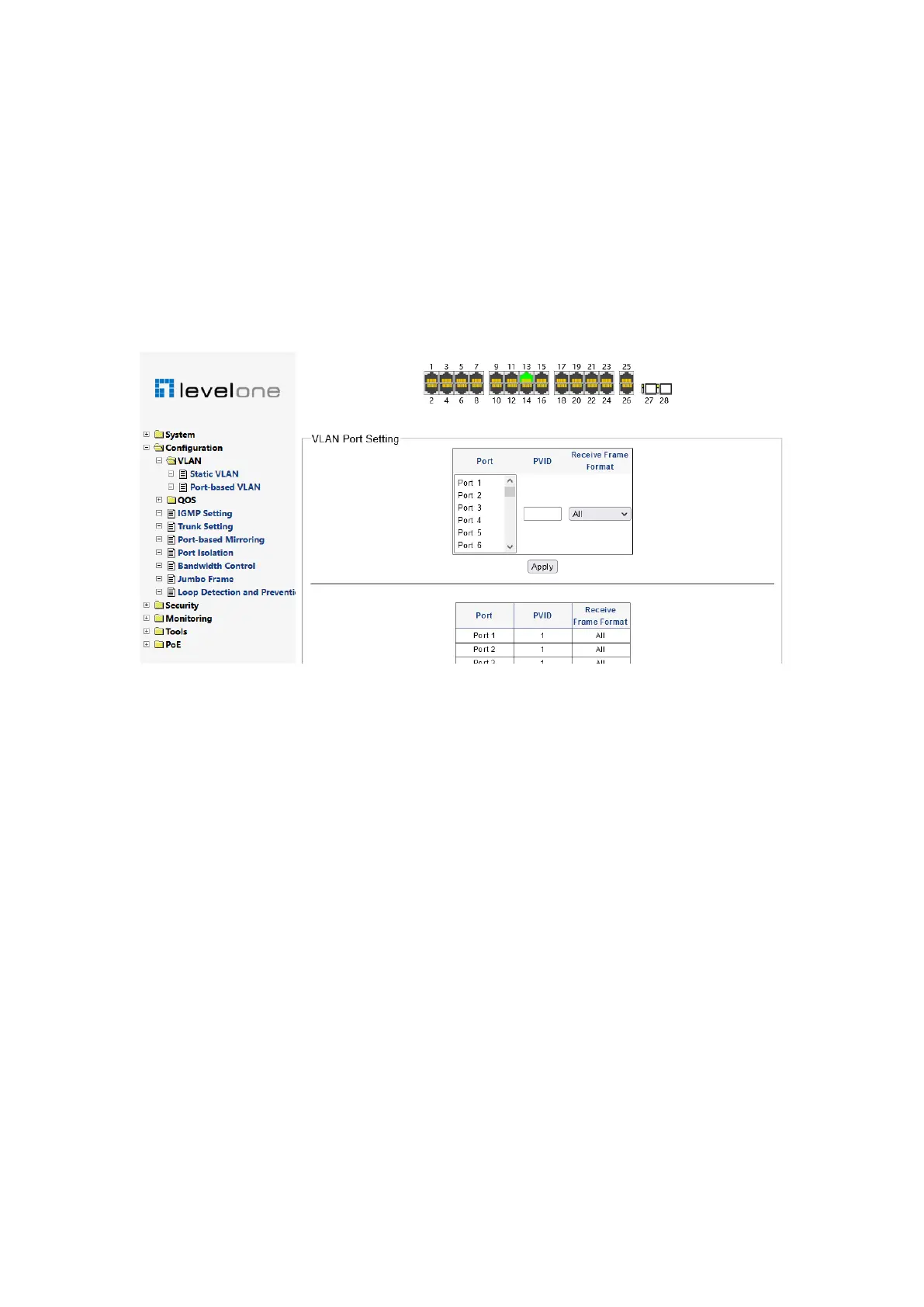
Figure 0-6
The VLAN port setting page is used to set the PVID (port based VLAN ID) of the port and
the frame format received by the port"
PVID: All ports have only one PVID. When unlabeled data frames enter the switch port,
the switch will label the data frames from the port with PVID. The default PVID for all ports
is 1"
Receive frame format
ALL!The specified port processes the received frames regardless of whether they are
labeled or not. For untagged frames, VLAN tags are marked with PVID for next processing.
For the tagged frame, if the port belongs to the member of the corresponding VLAN ID, the
next step will be processed. If it does not belong to the member, it will be discarded"
Tag -only!The specified port receives only labeled data frames. General client devices do
not support VLAN tagging, so the port connecting the client may not be able to
communicate when this option is selected"
Untag-only: The specified port only receives unlabeled data frames. If the peer device
interface communicates with multiple VLANs (such as the trunk interface of the switch and
the VLAN based sub interface configured in the router), only pvids can communicate"
For example
!
As shown in Figure 3-8, VLAN 10, 20 and 30 have been configured for the
superior equipment, and the corresponding VLAN is allowed to pass through the port
connected to the switch. The three terminals connected by Ports 1, 2 and 3 of the machine














 To Next Page