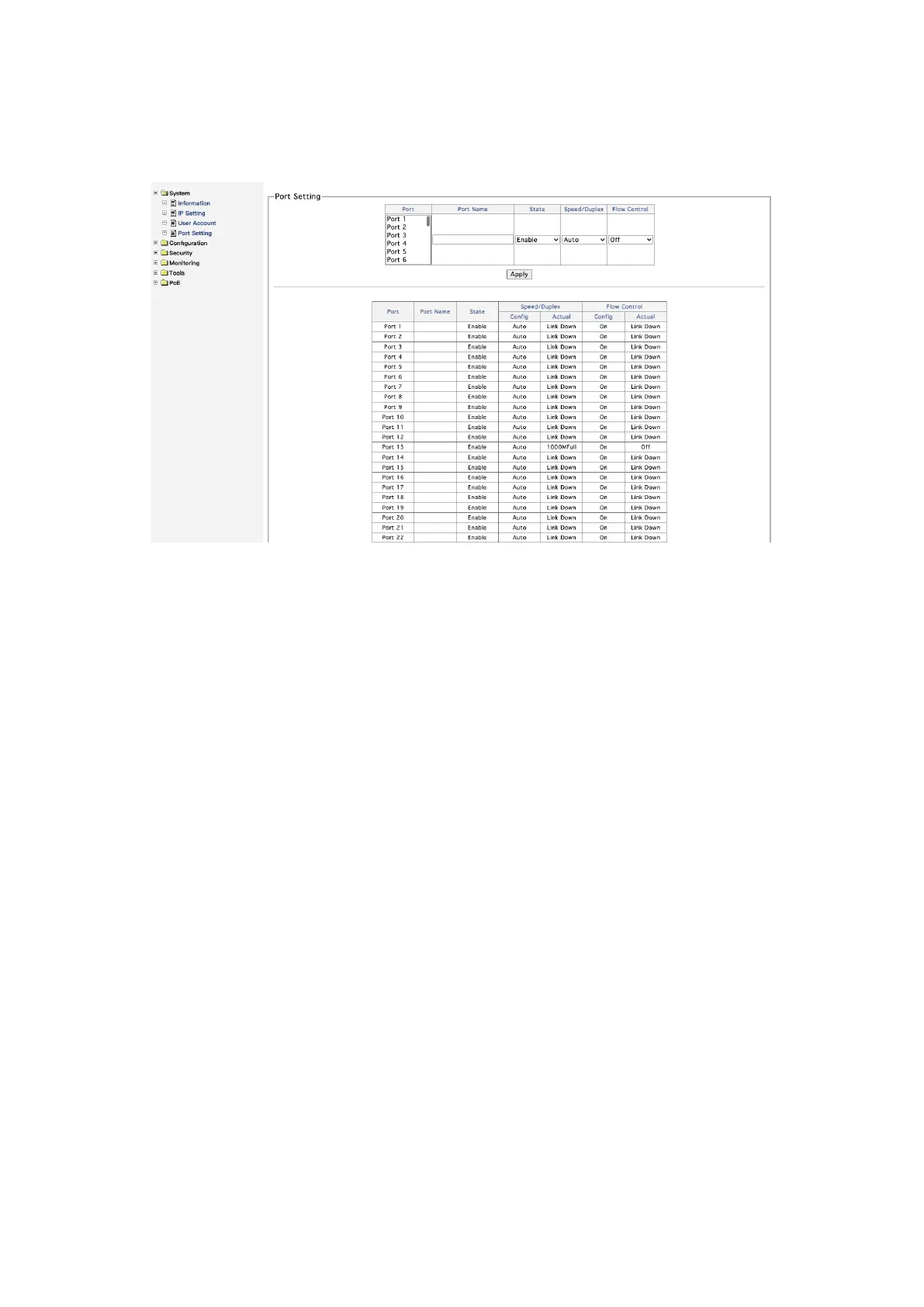
4. Port Setting
Figure 0-4
On the port setting page, the user sets and displays the port status, including the following
contents!
Alias: used to describe or comment on the port#
Status: "on" and "disabled". If it is set to "disabled", the port will be closed manually and
communication cannot be carried out#
Speed / duplex: all interfaces are in "automatic" state by default, i.e. adaptive mode. It can
be manually configured as "full duplex / half duplex mode", and the rates of 10m, 100m
and 1000m are optional. It is generally recommended to select "automatic" mode#
Flow control: when the flow control is turned on and the port is blocked, the switch will send
a "passuse" frame to the informant to inform the information source to suspend sending
information for a period of time"














 To Next Page