Chapter Ⅱ Login management interface
Logging on to the equipment
1. Connect the RJ-45 interface cable of a switch with a computer using a network cable.
2. Set the TCP/IP properties of the computer, see the Appendix: Setting up yourcomputer.
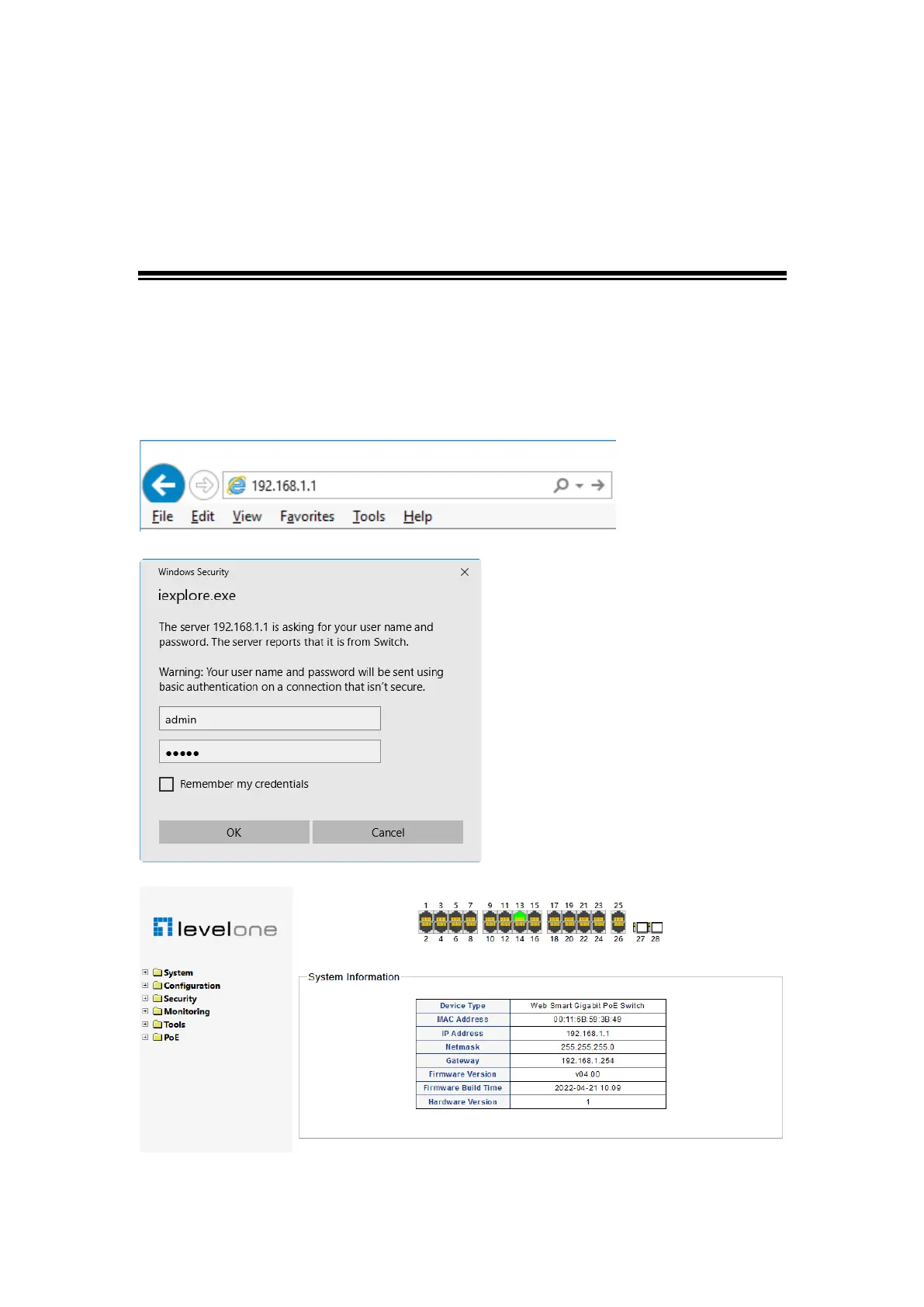
3. Logging on to the equipment: Open a browser and type 192.168.1.1 in the address bar,
and then press Enter; in the pop-up login interface, enter the factory logon username
"admin", password "admin" and click OK.
Figure 0-1














 To Next Page