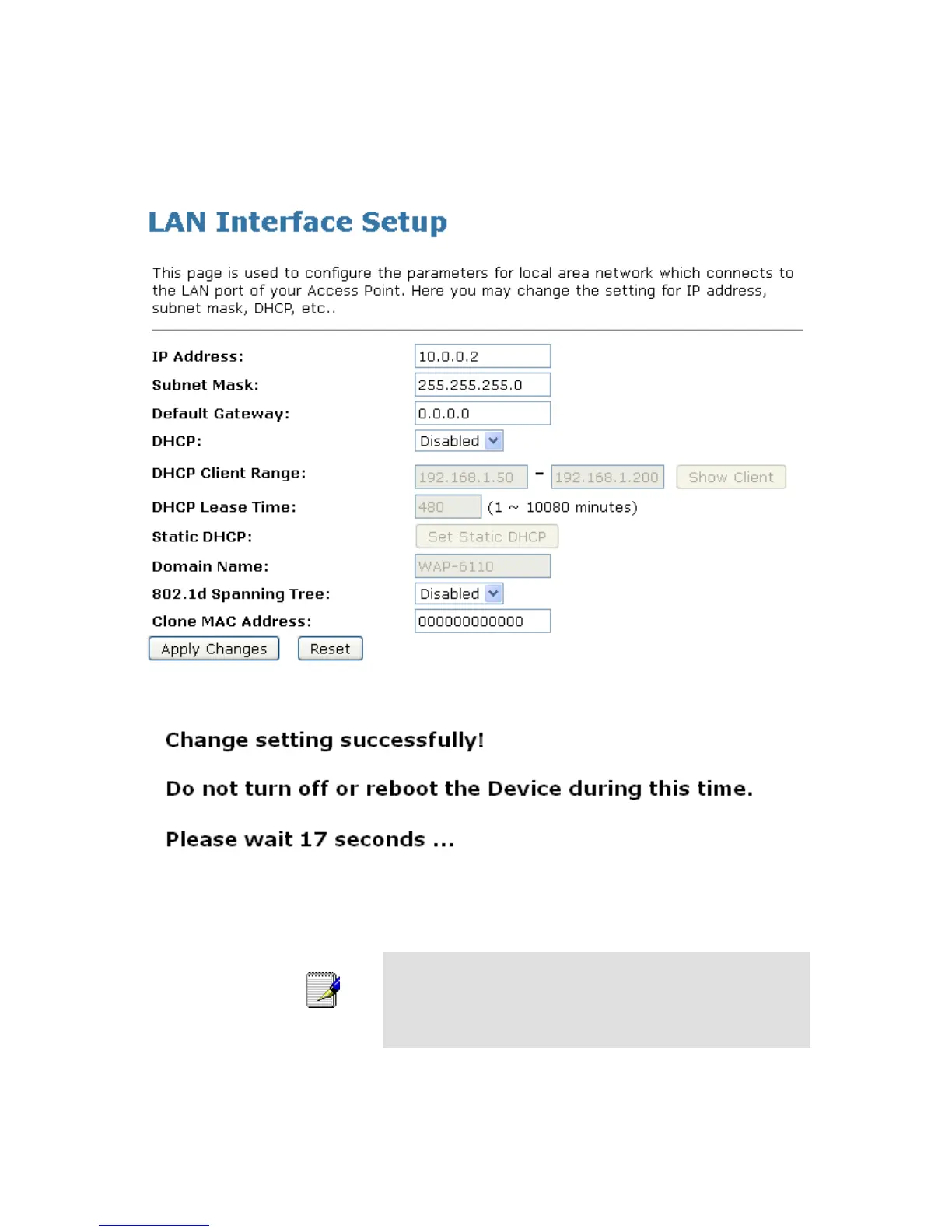
3. Type IP Address and Change default LAN port IP address.
4. Click in the IP Address and Subnet Mask box and type a
new IP Address and Subnet Mask.
5. Change the default DHCP Client Range.
6. Click Apply Changes.
7. Change setting successfully! Please wait 20 seconds….
You may also need to reconfigure static IP address to correct
one to access to the device.:
If you change the LAN IP address of the device while connected
through your Web browser, you will be disconnected. You must
open a new connection by entering your new LAN IP address as
the URL.















 To Next Page