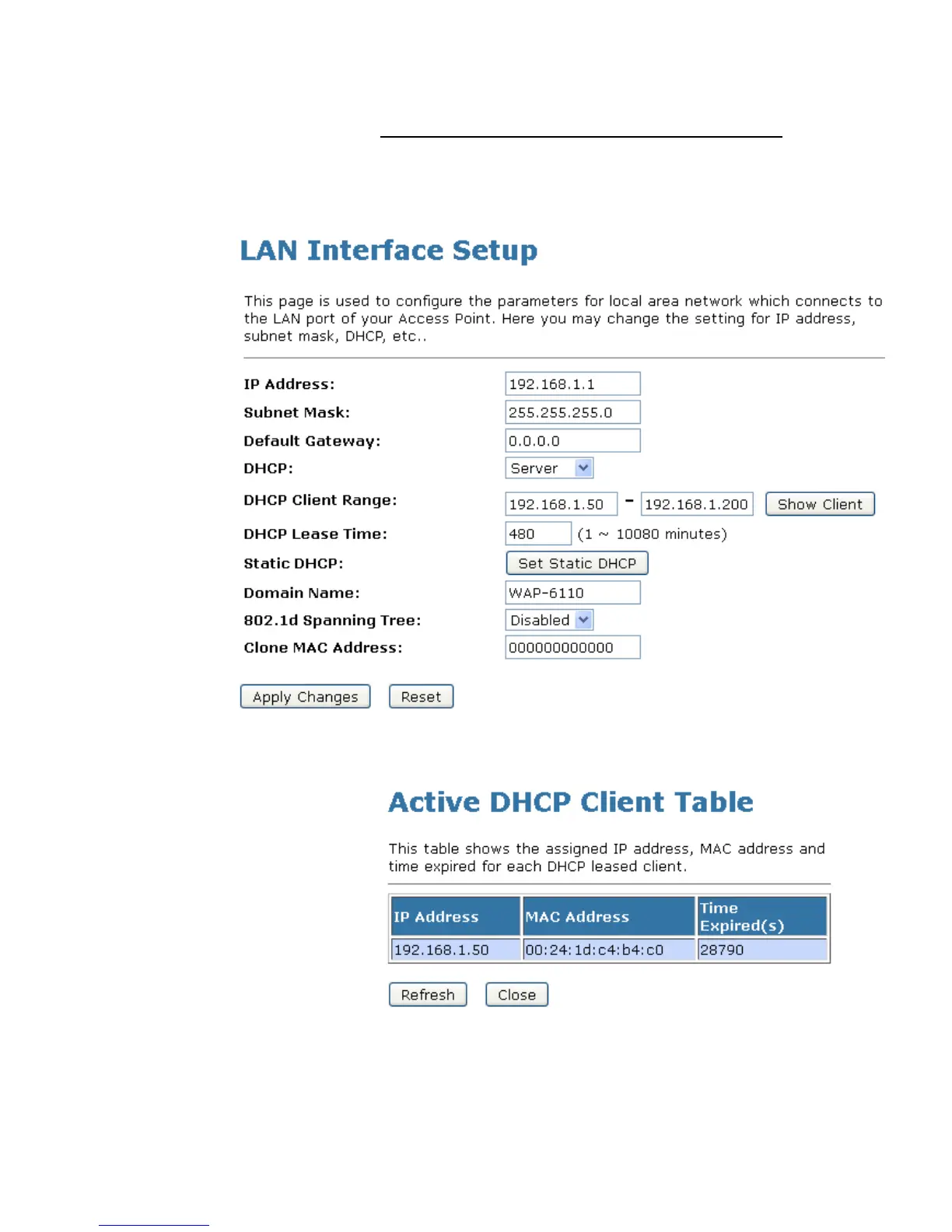
Show Client
To the IP Address, MAC Address, and Expired Time of the
DHCP lease for each client computer/device:
1. From the left-hand Network Settings -> LAN Interface menu.
The following page is displayed:
2. Click on Show Client button. The following page is
displayed:















 To Next Page