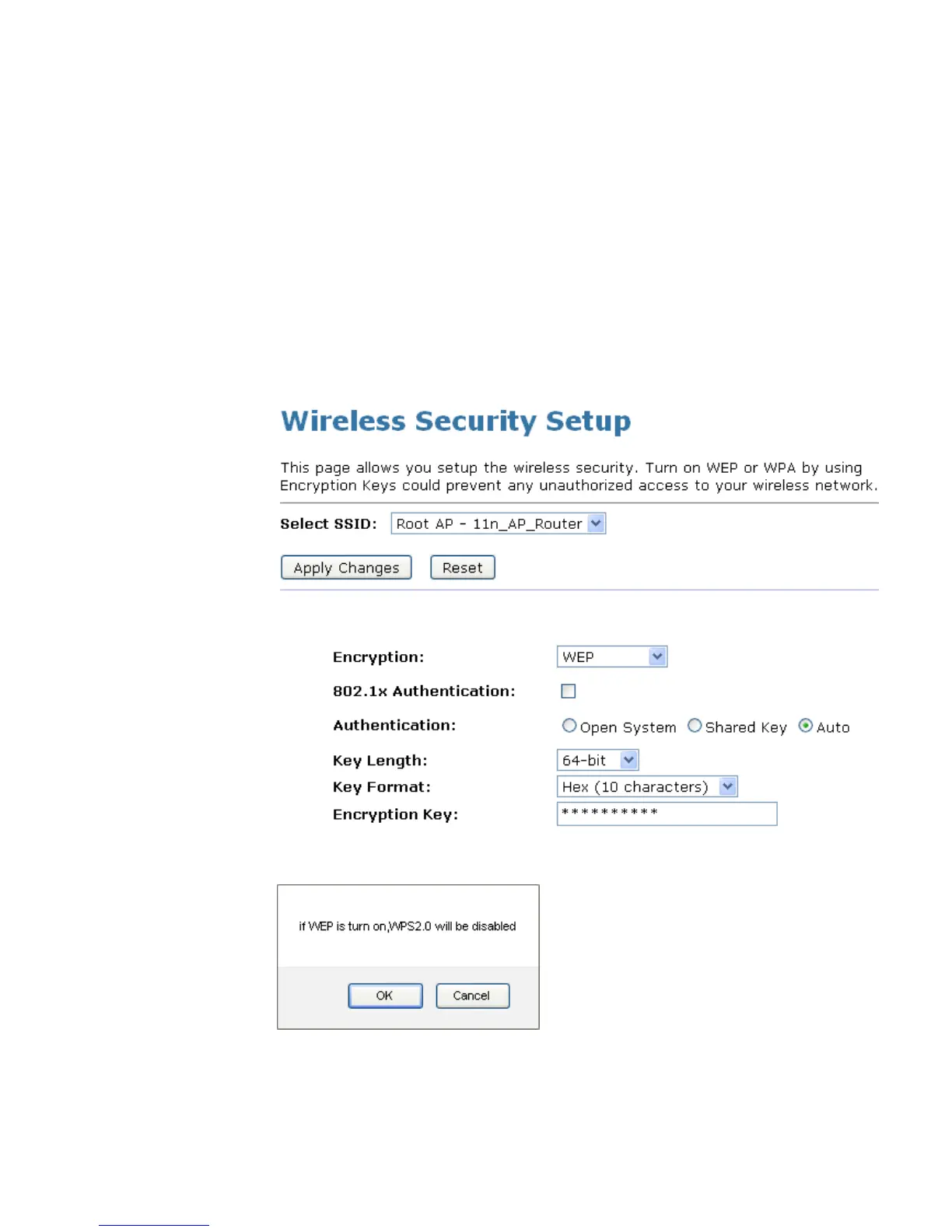
WEP + Encryption Key
WEP aims to provide security by encrypting data over radio
waves so that it is protected as it is transmitted from one end
point to another. However, it has been found that WEP is not as
secure as once believed.
1. From the Encryption drop-down list, select WEP setting.
2. From the Key Length drop-down list, select 64-bit or 128-bit
setting.
3. From the Key Format drop-down list, select ASCII (5
characters), Hex (10 characters), ASCII (13 characters) or
Hex (26 characters) setting.
4. Enter the Encryption Key value depending on selected
ASCII or Hexadecimal.
5. Click Apply Changes button.
6. Click OK button.















 To Next Page