WPS
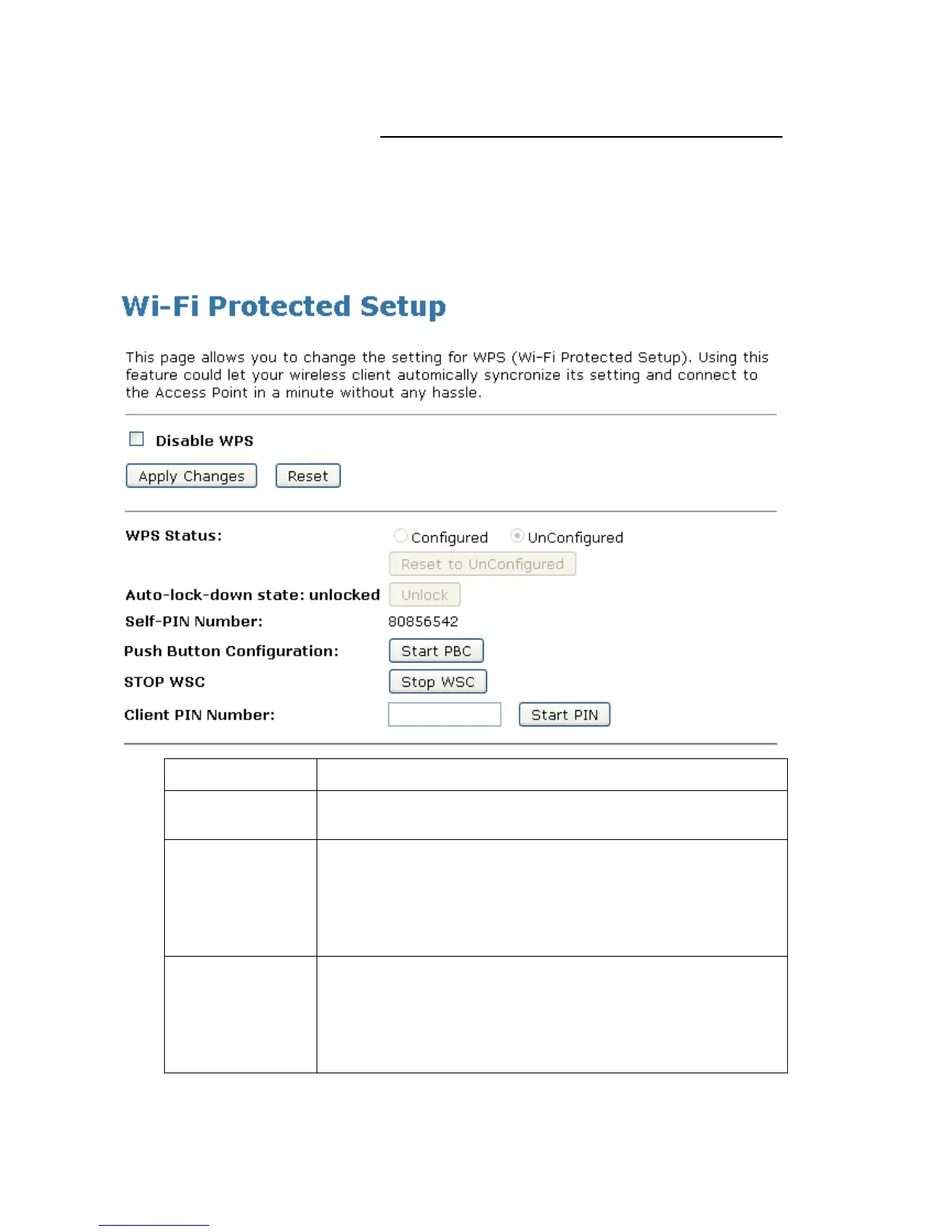
This page allows you to change the setting for WPS (Wi-Fi
Protected Setup). Using this feature could let your wireless
client automatically syncronize its setting and connect to the
Access Point in a minute without any hassle. To access the
Wireless Network WPS page:
From the left-hand Wireless menu, click on WPS. The following
page is displayed:
Checking this box and clicking “Apply Changes” will disable Wi-Fi
Protected Setup. WPS is turned on by default.
When AP’s settings are factory default (out of box), it is set to open
security and un-configured state. It will be displayed by “WPS
Status”. If it already shows “Configured”, some registrars such as
Vista WCN will not configure AP. Users will need to go to the
“Save/Reload Settings” page and click “Reset” to reload factory
default settings.
“Self-PIN Number” is AP’s PIN. Whenever users want to change
AP’s PIN, they could click “Regenerate PIN” and then click “ Apply
Changes”. Moreover, if users want to make their own PIN, they
could enter four digit PIN without checksum and then click “ Apply
Changes”. However, this would not be recommended since the
registrar side needs to be supported with four digit PIN.















 To Next Page