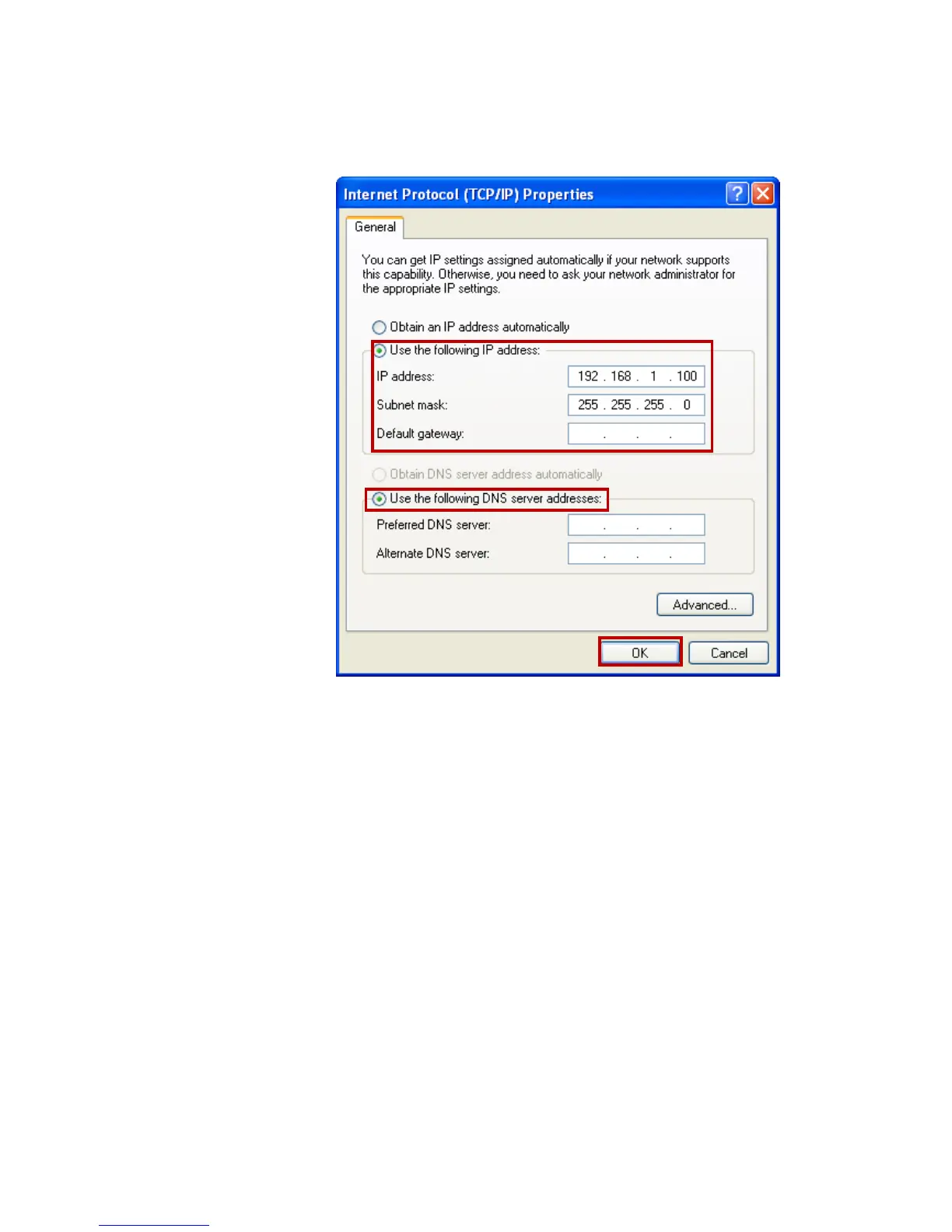
4. Check "Use the following IP address", configure IP
address to "192.168.1.100", Subnet mask to
"255.255.255.0" and check “Use the following DNS
server addresses” then click on "OK" to continue.
5. Click "Show icon in notification area when connected"
(see screen image in 3. above) then Click on "OK" to
complete the setup procedures.















 To Next Page