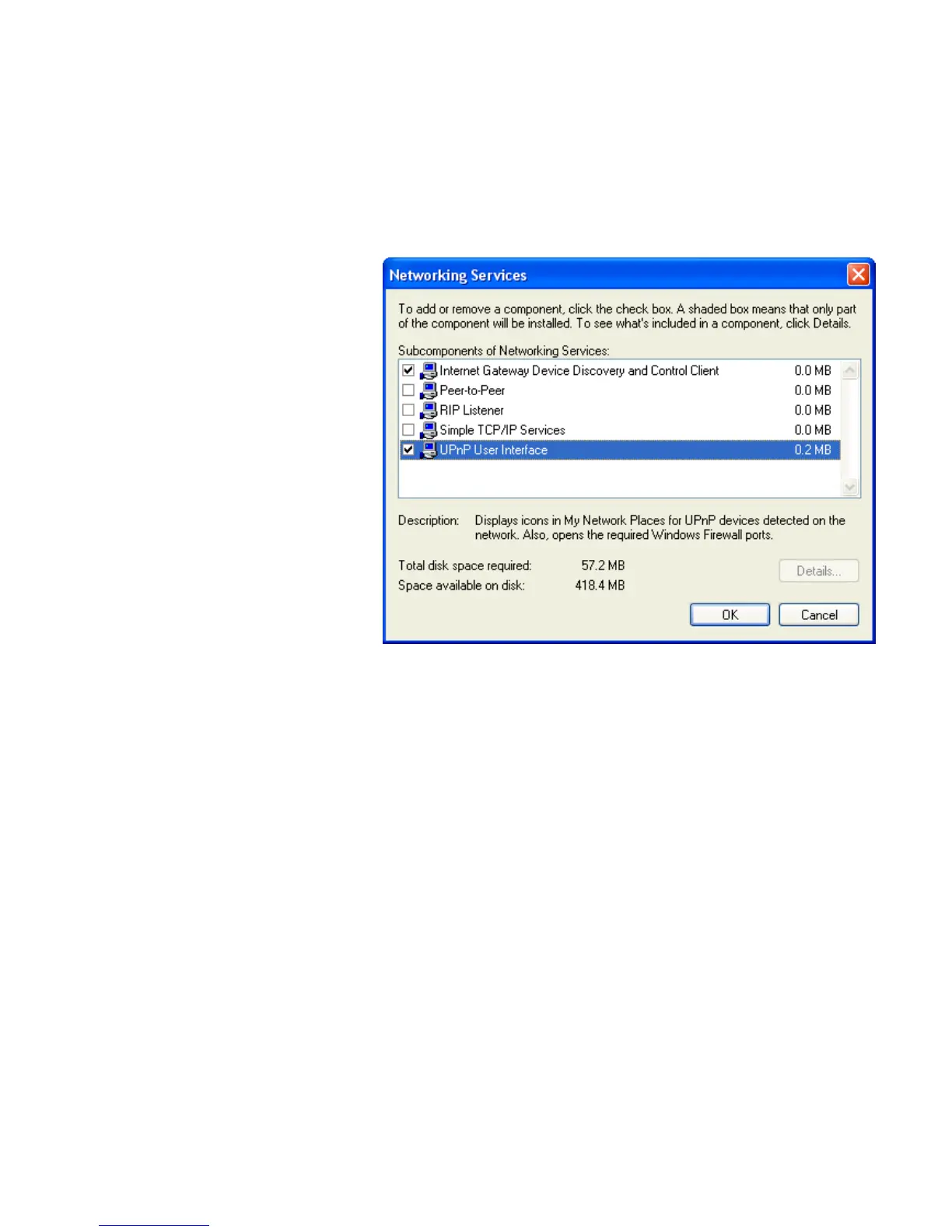
4. The “Networking Services” window is displayed.
The subcomponents shown in the Networking Services window
will be different depending on if you are using Windows XP,
Windows XP (SP1), or Windows XP (SP2).
If you are using Windows XP SP2, the Networking Services
window will display the following list of sub-components:
5. Select the following entries from the “Networking Services”
window and then click "OK":
If you are using Windows XP, select:
• "Universal Plug and Play".
If you are using Windows XP SP1, select:
• "Internet Gateway Device discovery and Control Client".
• "Universal Plug and Play".
If you are using Windows XP SP2, select:
• "Internet Gateway Device discovery and Control Client".
• "UPnP User Interface".
6. Reboot your system.
Once you have installed the UPnP software and you have
rebooted (and your network includes the IGD system), you
should be able to see the IGD controlled device on your network.















 To Next Page