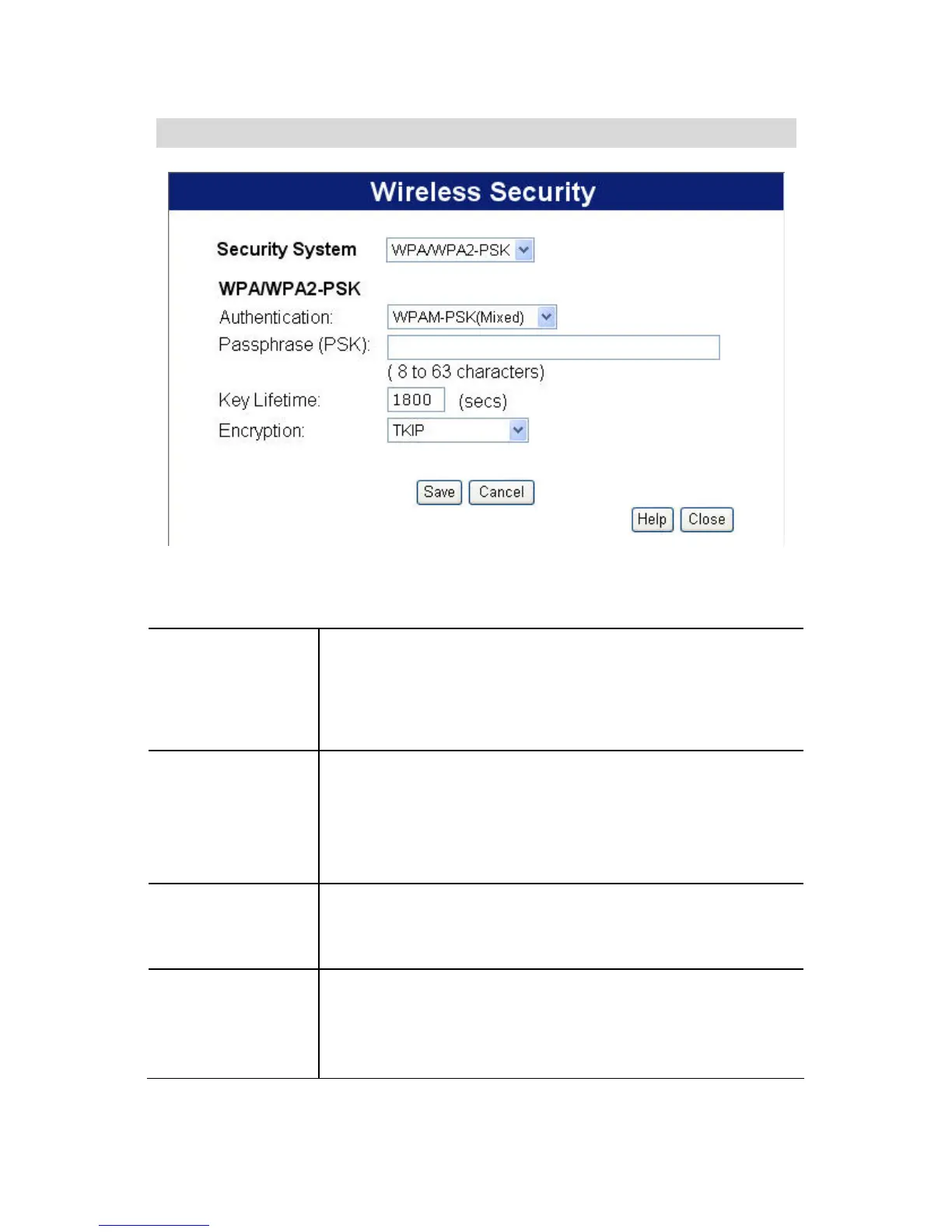
WPAM-PSK Wireless Security
Figure 11: WPAM-PSK
Data - WPAM-PSK Screen
Authentication WPAM-PSK
This method, sometimes called "Mixed Mode",
allows clients to use EITHER WPA-PSK (with
TKIP) OR WPA2-PSK (with AES).
Passphrase
(PSK)
Enter the PSK (network key). Data is encrypted
using a key derived from the network key. Other
Wireless Stations must use the same network
key. The PSK must be from 8 to 63 characters in
length.
Key Lifetime
This determines how often the encryption key is
changed. You can change the default value if
desired.
Encryption
The WPAM-PSK standard allows different
encryption methods to be used. Select the desired
option. Wireless Stations must use the same
encryption method.
34















 To Next Page