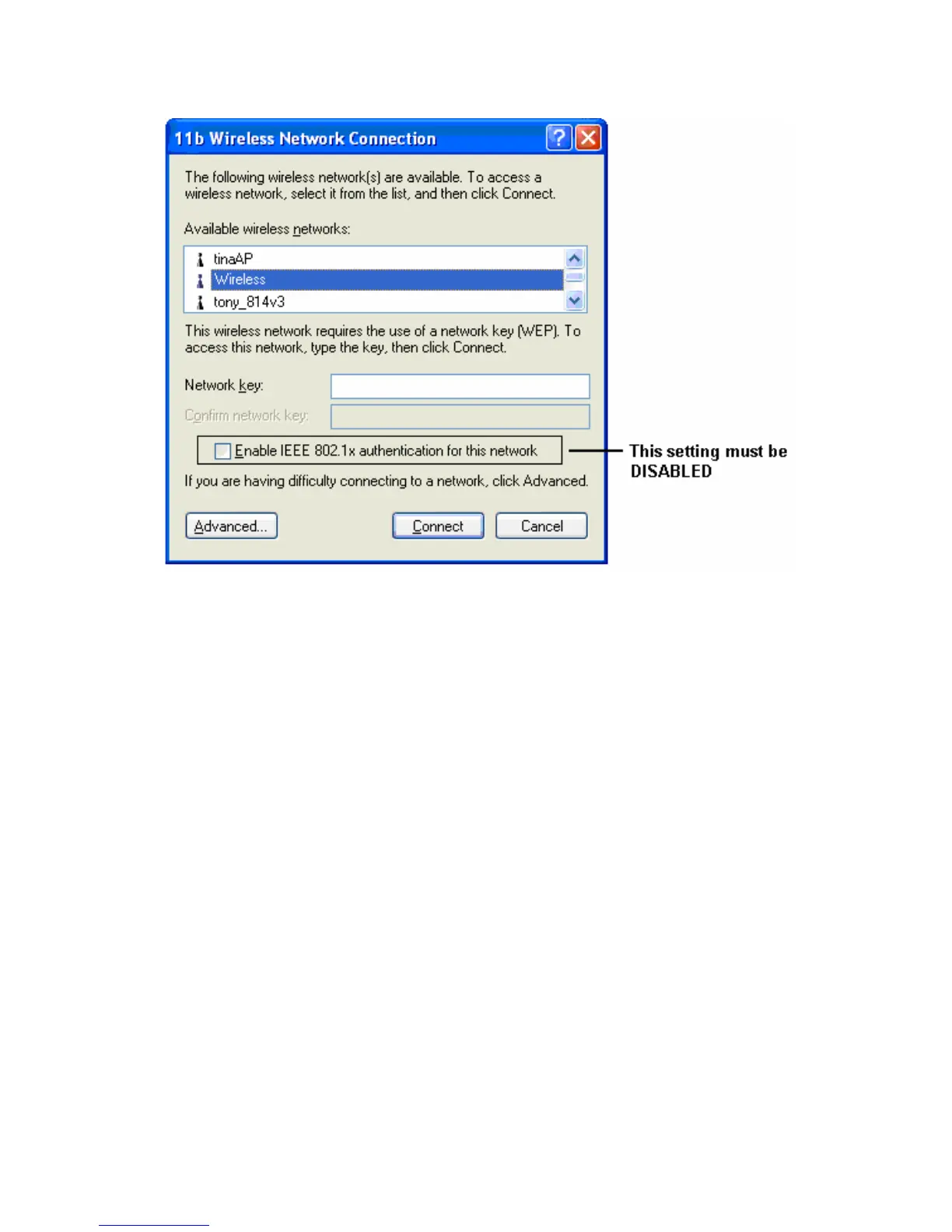
Figure 29: WEP (Windows XP)
To connect:
• Enter the WEP key, as set on the Wireless Broadband Router, in
the Network Key field.
• Re-enter the WEP key into the Confirm Network key field.
• Disable the checkbox Enable IEEE 802.1x authentication for this
network.
• Click the
Connect button.
If this fails, click the Advanced button, to see a screen like the
following:
53















 To Next Page