10
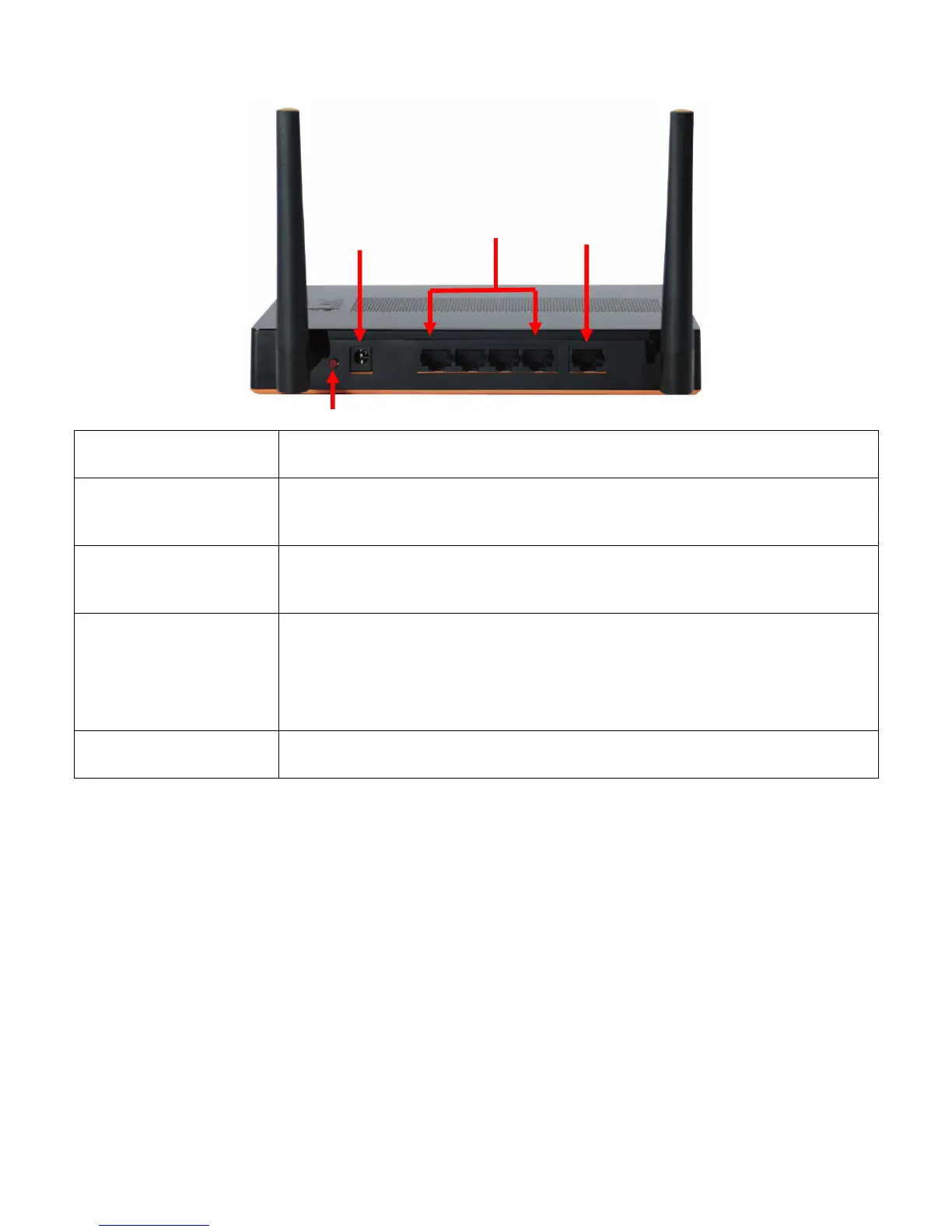
Rear View
Power Jack
• Receptor for the supplied power adapter
LAN Ports (1~4)
• Connect Ethernet devices such as Level1 IP Cameras, computers,
switches or other network devices.
WAN Port
• The WAN port is the connection for the Ethernet cable to the Cable or
DSL Modem.
Sleep Button
• This button is used to force the router to enter sleep mode, or wake up.
It has the highest priority and overrides the Power Saving Schedule.
•
Green Router is in Sleep Mode.(Press this button about 1 sec.)
•
Green Router is in Standby or On mode. ( Press this button about 1 sec.)
Antennas
• Detachable antennas allow users to change antenna if necessary.
WAN
LAN
PWR
Sleep Button
1















 To Next Page