43
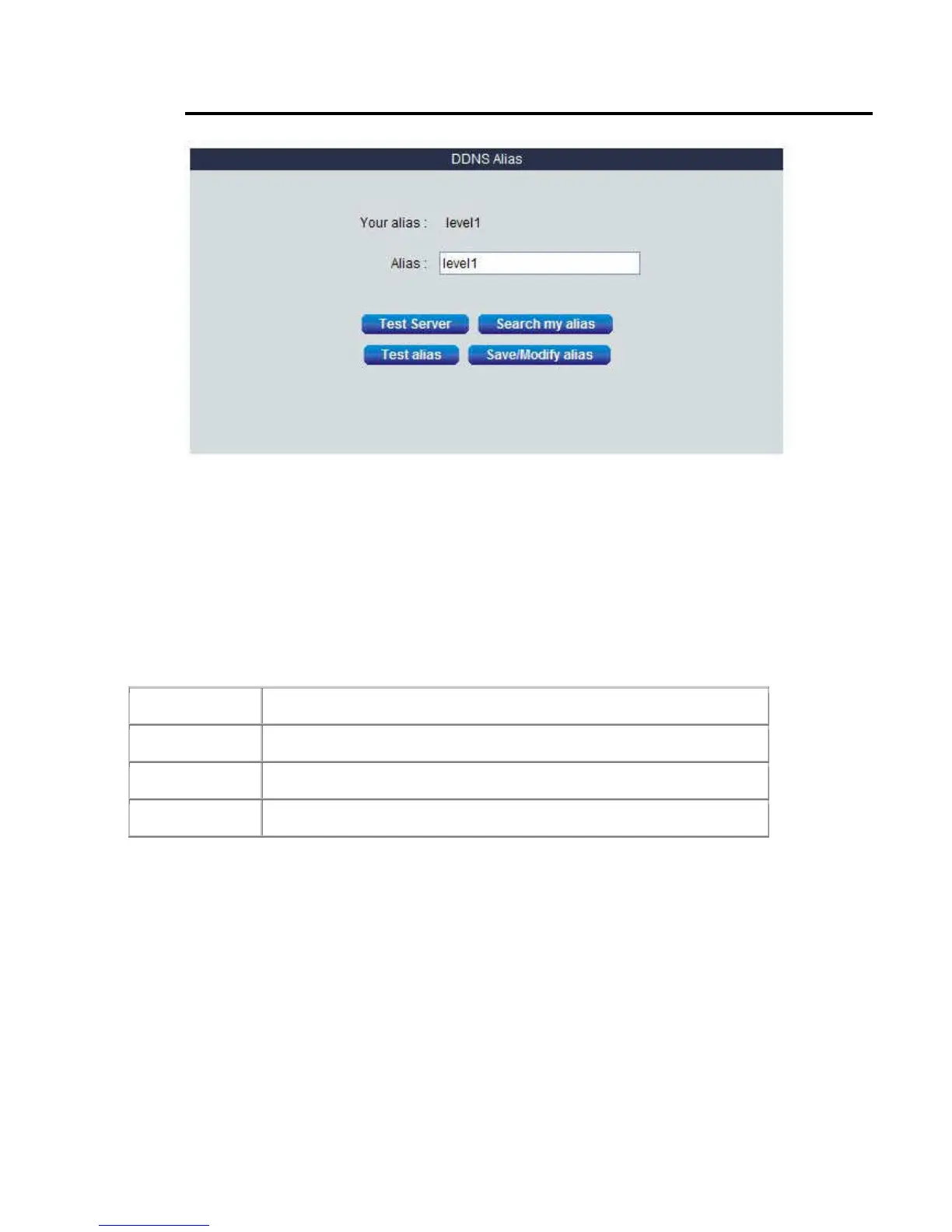
4. Change Alias Domain Name
Press the “DDNS Alias” link under “System” tag.
The WBR-6022 had build-in level1dns.net service, default is using device MAC address name, here is the format: “MAC
address”.level1dns.net. Example: 00116BE356A3.level1dns.net
But you can use your prefer name to replace the “MAC address”
DDNS Alias: Key in your preferred alias name and press “Test alias” button to check it is valid or not. Press the
“Save/Modify alias” button then the alias setting process is done. Then you can try to open the IE browser and input the
full DDNS address. The format is “alias”+”level1dns.net”, here have some example for reference.
The format is “alias”+”level1dns.net”, here have some example for reference.
“john01.level1dns.net “
“may555.level1dns.net”…….
Function of Buttons
Test Server Test the connection with the Level1DNS.net service available or not
Search my alias Search your alias name
Test alias You can test the alias name available or not
Save/Modify alias
Save the setting
Notice: this feature have to make sure the HomeGuard WAN port has to work on public IP to ensure this DDNS function
100% available. Because it may failed by others issue (example NAT, time out..…..)















 To Next Page