28
4.2.3 Setup Device & Level1DNS
A. Setup the Status for Camera & NVR
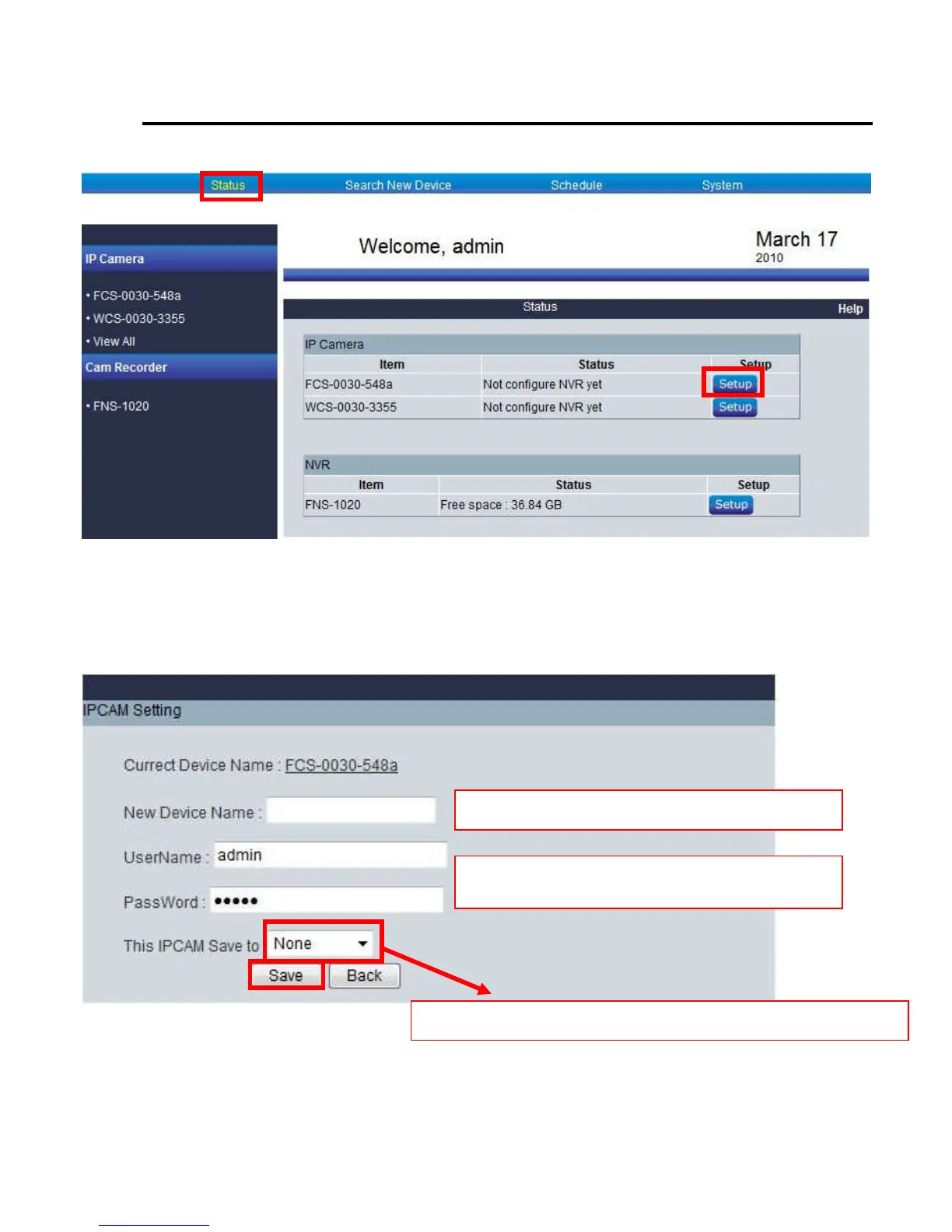
Click “Status”
HomeGuard will show the registered IP camera on the list. It can be configure in detail when clicked camera.
Once you have installed the IP camera on the list, you can click respective camera or view all to see the live view
Please select NVR1 & click “Save”
Ignore this step unless you have changed IP camera’s
Username & Password
You can change new device name
Only works if you have FNS-1020v2, please select NVR1















 To Next Page