17
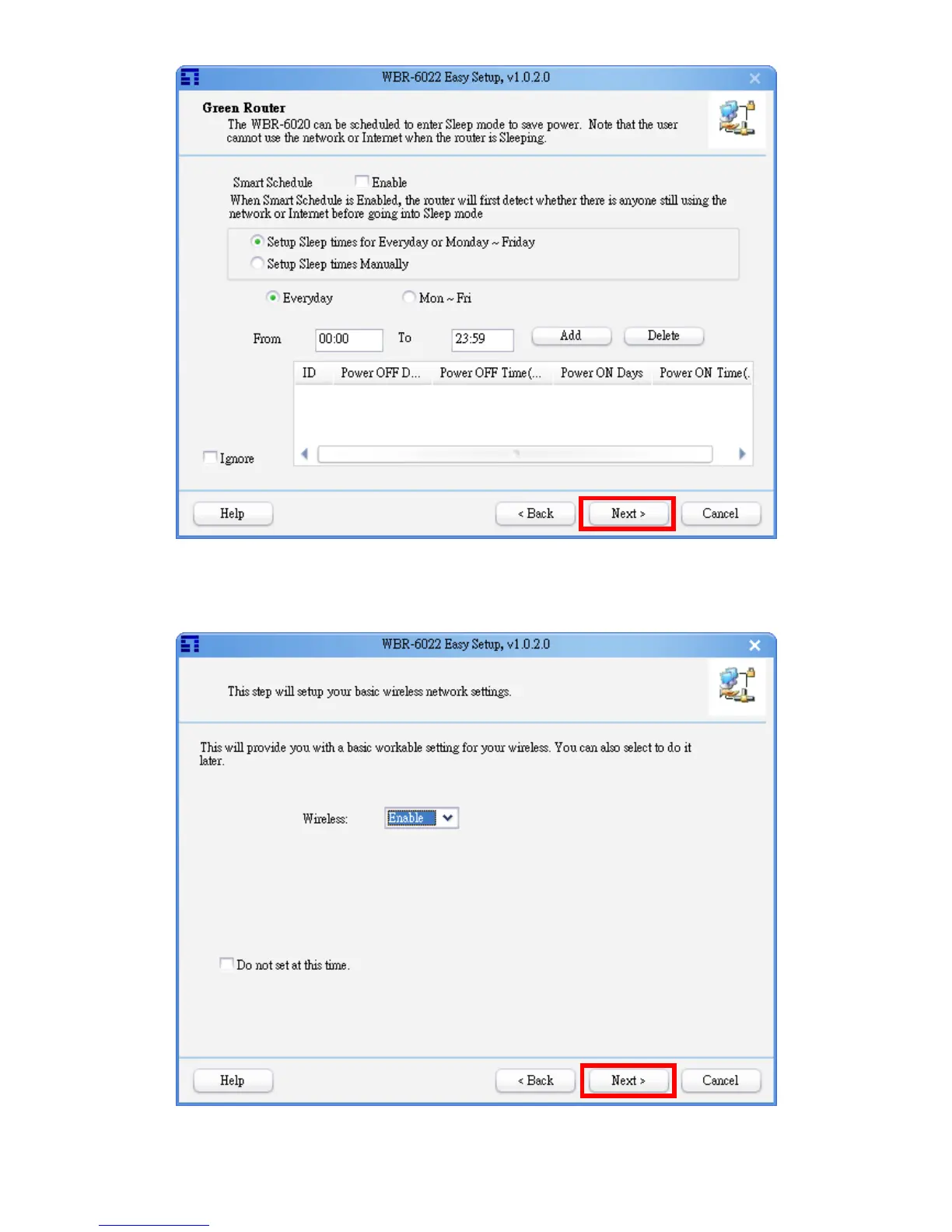
Setup the Power Management schedule, and then click “Next” to continue.
Smart Schedule means, when the router should go to sleep mode due to the schedule rule,
it would check the network packet first. If there are still some network packets being
transferred, the rule would not be executed immediately until the network flow is stop.
Set wireless enable or disable, and then click “Next” to continue.















 To Next Page