55
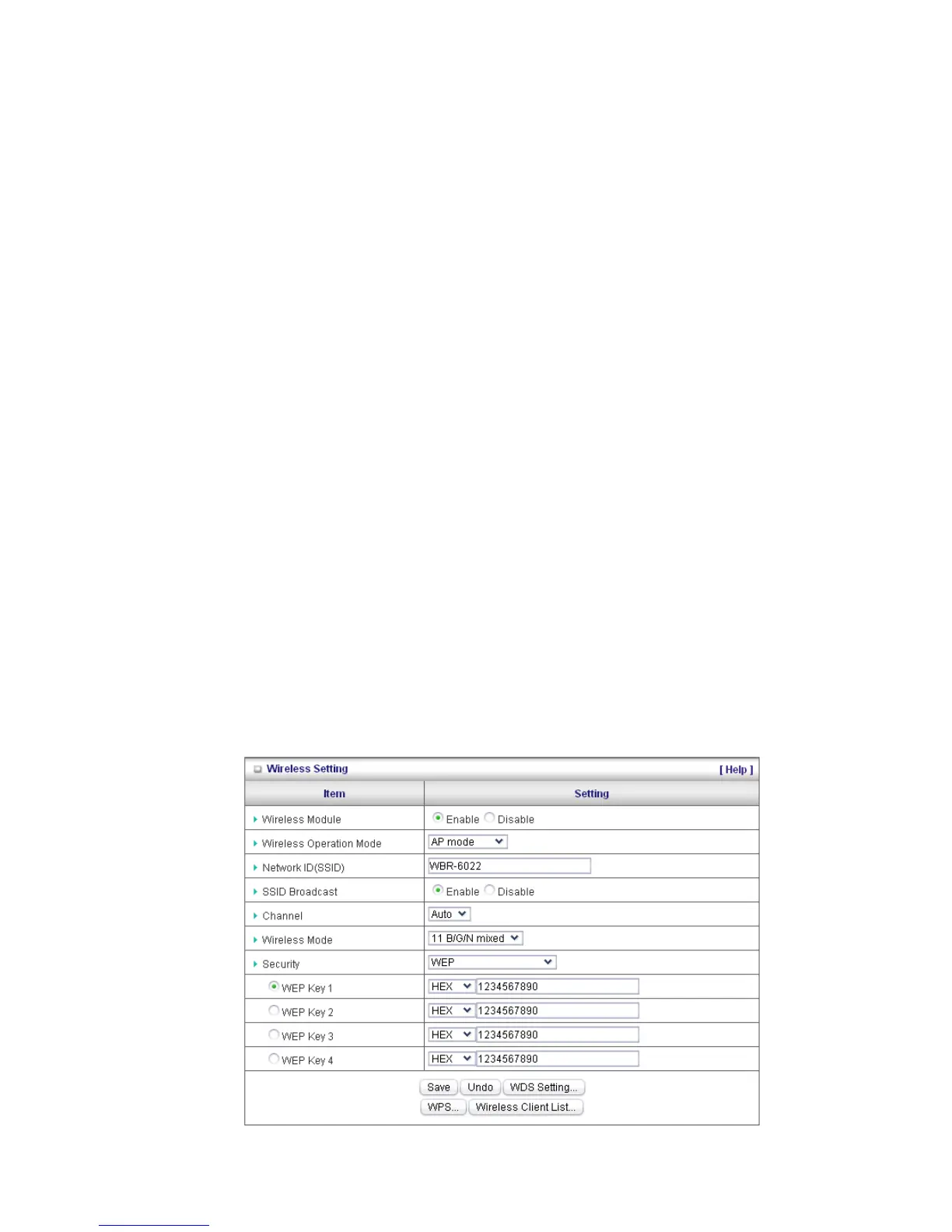
SSID Broadcast: The WBR-6022 will broadcast beacons that contains SSID and other wireless
information so that Computers or other wireless devices can find the WBR-6022 when scanning for
wireless networks. Disable this function if you want to hide your wireless network.
Channel: The radio channel number. The permissible channels depend on the Regulatory Domain.
The default is AUTO which means the WBR-6022 will find the least used channel to avoid
interference.
Note: Channel range depends on your regional regulations. Please see specifications for Channel details.
Wireless Client List: You can use this function to see the devices connected to the WBR-6022
through the wireless network.
Security: Security - You may select from three levels of encryption to secure your wireless network:
No Encryption, WEP, 802.1x RADIUS, WPA-PSK, WPA, WPA2-PSK (AES), WPA2 (AES), WPA-PSK
/ WPA2-PSK and WPA1 / WPA2.
LevelOne recommends WPA2-PSK (AES) for simple and secure wireless encryption.
After configuring the wireless security settings on the WBR-6022, you will also need to configure the
same settings on your wireless adapter before you attempt a wireless connection.
Please note that not all adapters support all the available security functions.
No Encryption is the default (as shown in the screen above).
WEP:
WEP (Wired Equivalent Privacy). Enabling the security can protect your data while it is
transferred to the WBR-6022. Enter the 10 digit WEP Key.















 To Next Page