58
WPS (WiFi Protected Setup)
WPS feature is following the Wi-Fi Alliance WPS standard and it eases the set up of security-
enabled Wi-Fi networks in the home and small office environment.
It reduces the user steps required to configure a network and supports two methods that are
familiar to most consumers to configure a network and enable security.
Please ensure you have wireless security set up on the WBR-6022 before initializing WPS
functions.
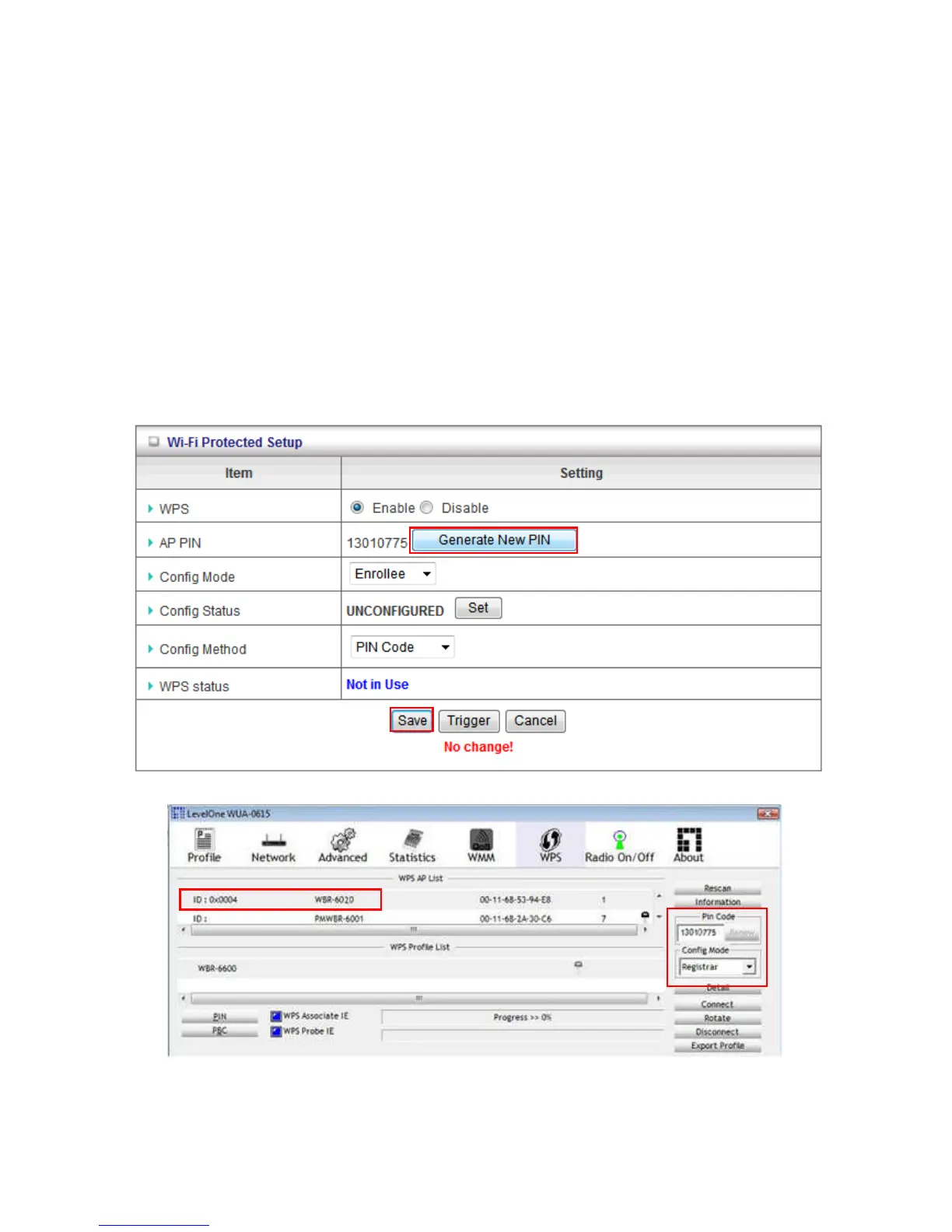
Set PIN number of WBR-6022
Make sure the Router is set in “Enrollee” mode.
Click the “Generate New PIN” button to randomly create a new PIN number for the WBR-6022.
Then click “Save” to apply the settings.
Set your wireless adapter as Registrar and enter this PIN number to initiate the WPS function.















 To Next Page