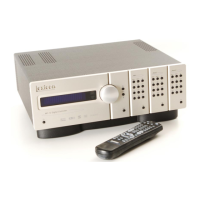
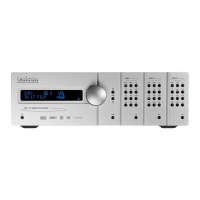
MC-12HD Basic Operation
2-7
15. Main Audio Output Connectors
16. Microphone Input Connectors
17. Trigger Output Connectors
18. Balanced Audio Output Connectors (see page 2-8)
19. Digital Audio Input Connectors (S/PDIF, AES/EBU & OMJ)
20. Analog Audio Input Connectors
Caution!
Never make or break connections to the MC-12HD unless the
MC-12HD and all associated components are powered off.
1 S-VIDEO INPUT CONNECTORS
Provide video input in the Main and Record Zones. Three S-video
connectors labeled S-VIDEO 1 to 3 are available.
2 COMPOSITE VIDEO INPUT CONNECTORS
Provide video input in the Main and Record Zones. Two composite
video connectors labeled VIDEO 1 and 2 are available.
3 COMPONENT VIDEO INPUT CONNECTORS
Provide video input in the Main Zone. Four sets of component
video connectors (three RCA and one BNC) labeled INPUT 1 to 4
are available. The component video connectors are not available for
the Record Zone.
4 HDMI INPUT CONNECTORS
Provide HDMI audio/video input in the Main Zone (not available for
the Record Zone). Six HDMI connectors labeled HDMI 1 to 6 are
available.
Note:
A DVI (Digital Visual Interface) device can be connected to the
MC-12HD through a DVI-to-HDMI cable or adaptor. DVI carries video
but no audio.
5 HDMI OUTPUT CONNECTOR
Provides HDMI output in the Main Zone. One HDMI output
connector is available. The HDMI OUT connector supports HDCP
(High-bandwidth Digital Content Protection).
Note:
A DVI (Digital Visual Interface) device can be connected to the
MC-12HD through a DVI-to-HDMI cable or adaptor.
6 MAIN VIDEO OUTPUT CONNECTORS
Provide video output in the Main Zone. Two composite video
connectors, two S-video connectors, and one set of component
video connectors (BNC) are available. The composite and S-video
connectors labeled 1 (OSD), and the component video connectors
incorporate the on-screen display.
Composite video output is available when a composite or S-video
source is present.
S-video output is available when an S-video source is present.
Component video output is available when a component,
composite, or S-video source is present.
Note:
The video outputs that incorporate the on-screen display (OSD) can
also display the two-line status. However, to view the OSD through the
component output, it must be configured to convert and display
composite or S-video. See “COMPONENT IN” on page 3-13.



 To Next Page