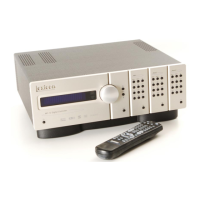
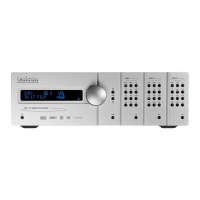
MC-12HD Introduction
iii
Table of Contents
Documentation Conventions........................................................ ii
Getting Started
About The MC-12HD................................................................1-2
Highlights .............................................................................1-4
Product Registration..................................................................1-5
Installation Considerations.........................................................1-5
Remote Control Battery Installation and Replacement ...............1-6
Basic Operation
Front-Panel Overview................................................................2-2
Rear-Panel Overview..................................................................2-6
Remote Control Overview.......................................................2-11
Operation Considerations ....................................................2-11
Main Menu ......................................................................... 2-12
Menu Navigation ................................................................2-12
Menu Item Selection ...........................................................2-12
Command Bank Activation ..................................................2-14
Command Matrix ............................................................... 2-15
About the Zones .....................................................................2-20
Two-line Status........................................................................2-20
Status Menus ..........................................................................2-21
Status Menu Level Meters ...................................................2-23
Status Menu Descriptions ....................................................2-23
Status Menu Parameter Descriptions ...................................2-28
Setup
Setup ........................................................................................3-2
Input Setup...............................................................................3-4
Changing Input Names .........................................................3-5
Assigning HDMI, Audio and Video Input Connectors ............. 3-7
Selecting Preferred Listening Modes ....................................3-14
Configuring Advanced Input Settings .................................. 3-19
INPUT SELECT Parameter Settings ....................................... 3-21
ZONE2 & RECORD IN Parameter Settings ........................... 3-23
Speaker Setup.........................................................................3-26
Setting Crossover Points ...................................................... 3-26
Calibrating Speaker Distances & Output Levels .......................3-38
Speaker Calibration Parameters ........................................... 3-38
Automatic Calibration ......................................................... 3-40
Manual Calibration .............................................................3-57
Rear Panel Configuration.........................................................3-64
Display Setup..........................................................................3-66
On-Screen Display ............................................................... 3-68
Front Panel Display ............................................................. 3-70
Volume Control Setup.............................................................3-71
Trigger Setup..........................................................................3-73
Lock Options...........................................................................3-75
LIVE! Calibration......................................................................3-76
Audio Controls
Audio Controls..........................................................................4-2
Mode Adjust
Mode Adjust .............................................................................5-2
Listening Mode Activation.........................................................5-2
Preferred Listening Mode Selection Parameters ..................... 5-3
Mode Buttons ....................................................................... 5-4
Mode Family Selection Buttons ............................................. 5-4
Listening Modes Descriptions....................................................5-5
Listening Mode Menu Option & Parameter Descriptions.........5-37
Mode – Parameter Relationships..............................................5-45



 To Next Page