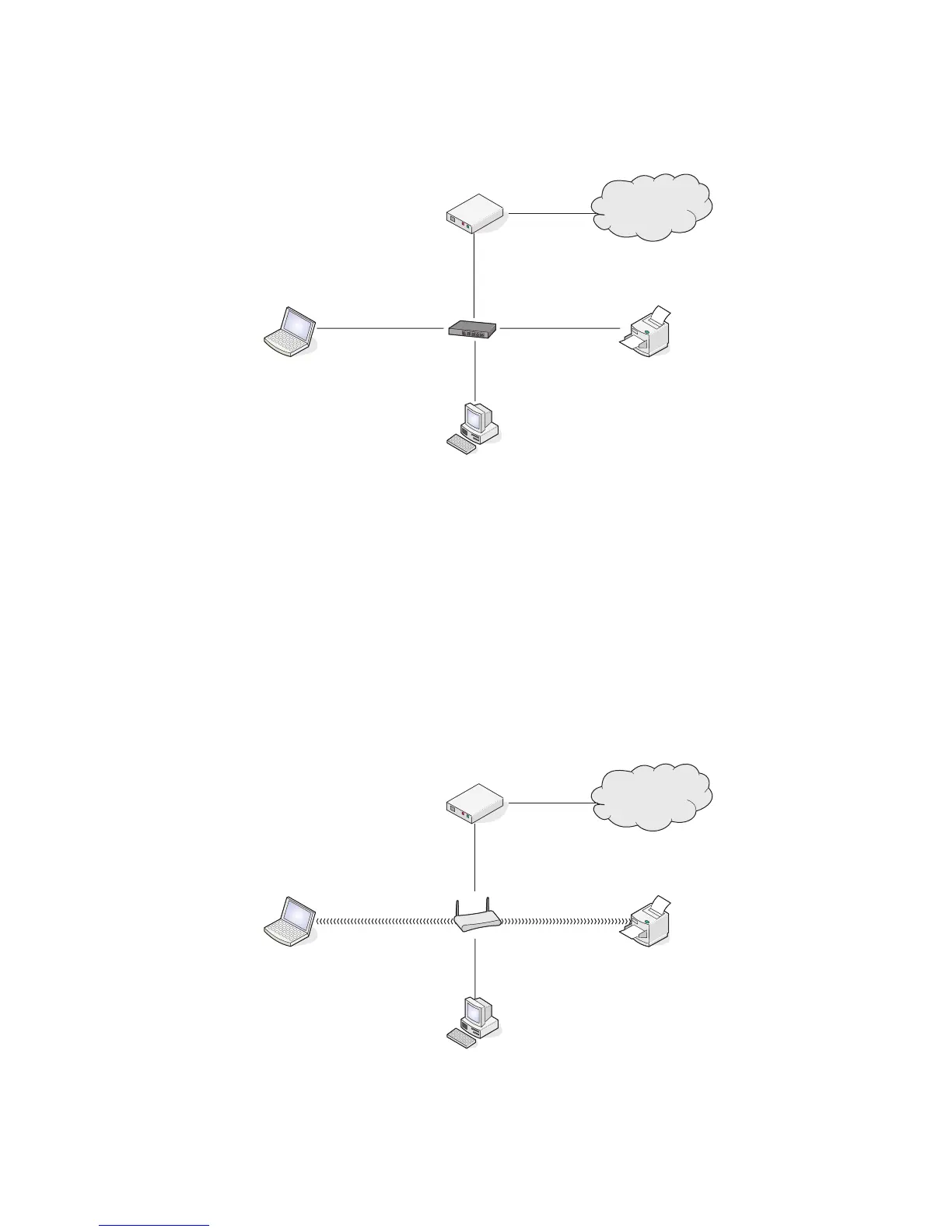
Wired network example
• A desktop computer, a laptop, and a printer are connected by Ethernet cables to a hub, router, or switch.
• The network is connected to the Internet through a DSL or a cable modem.
Internet
Wireless network examples
Four common wireless networks are:
• Scenario 1: Laptop and printer connected wirelessly with Internet
• Scenario 2: Desktop computer, laptop, and printer connected wirelessly with Internet
• Scenario 3: Desktop computer, laptop, and printer connected wirelessly without Internet
• Scenario 4: Laptop connected wirelessly to printer without Internet
Scenario 1: Laptop and printer connected wirelessly with Internet
•
A desktop computer is connected to a wireless router by an Ethernet cable.
• A laptop and a printer are connected wirelessly to the router.
• The network is connected to the Internet through a DSL or a cable modem.
Internet
46






 To Next Page