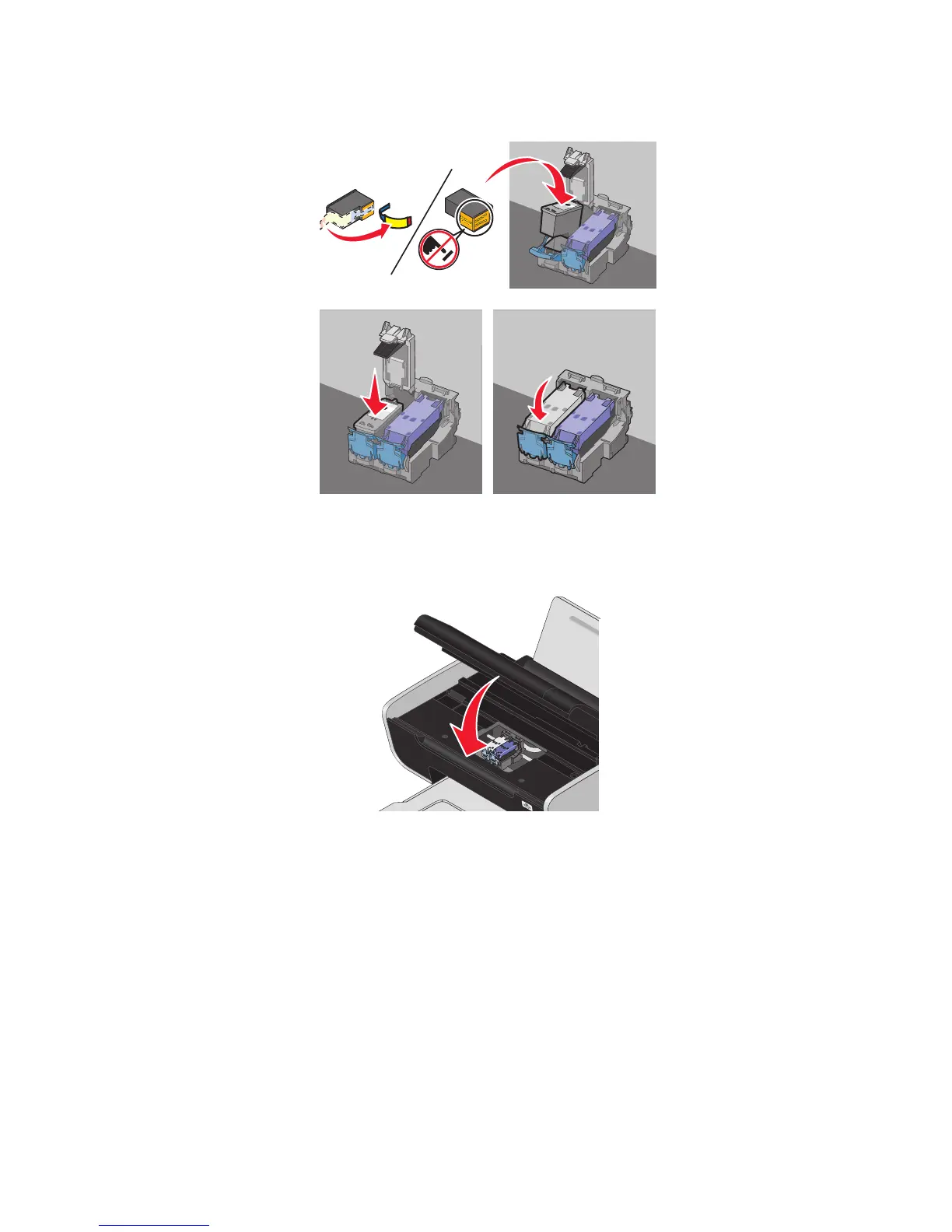
4 If a black cartridge is included in the box contents, remove the tape from the back and bottom of the black
cartridge, insert the cartridge in the left carrier, and then close the black cartridge carrier lid.
Warning—Potential Damage: Do not touch the gold contact area on the back or the metal nozzles on the
bottom of the cartridge.
5 Close the printer, making sure to keep your hands out from underneath the scanner unit.
Removing a used print cartridge
1 Make sure the printer is on.
2 Lift the scanner unit.
96






 To Next Page