Replacing the print cartridge
76
Maintenance
Replacing the print cartridge
Removing the old print cartridge
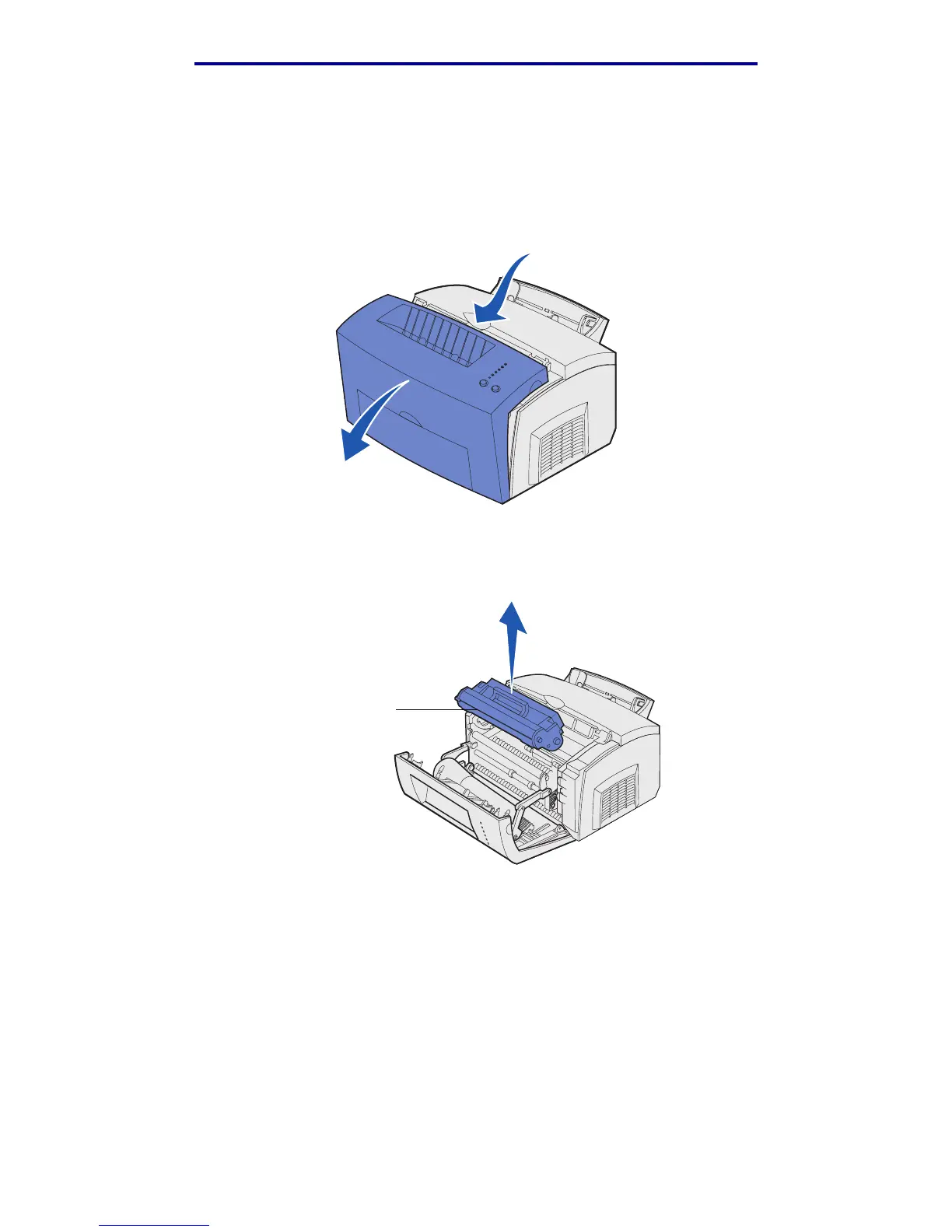
1 Use the finger tab to pull down the printer cover.
2 Grasp the cartridge handle and pull the print cartridge straight up (it may be warm).
Warning: Do not touch the photoconductor drum on the bottom of the print cartridge.
3 Set the print cartridge aside.
Warning: Lexmark does not recommend refilling used printer cartridges or purchasing
refilled cartridges from a third party. Print quality and printer reliability cannot be
guaranteed if third-party supplies are used. For best results, use genuine Lexmark
supplies.
Photoconductor drum




 To Next Page