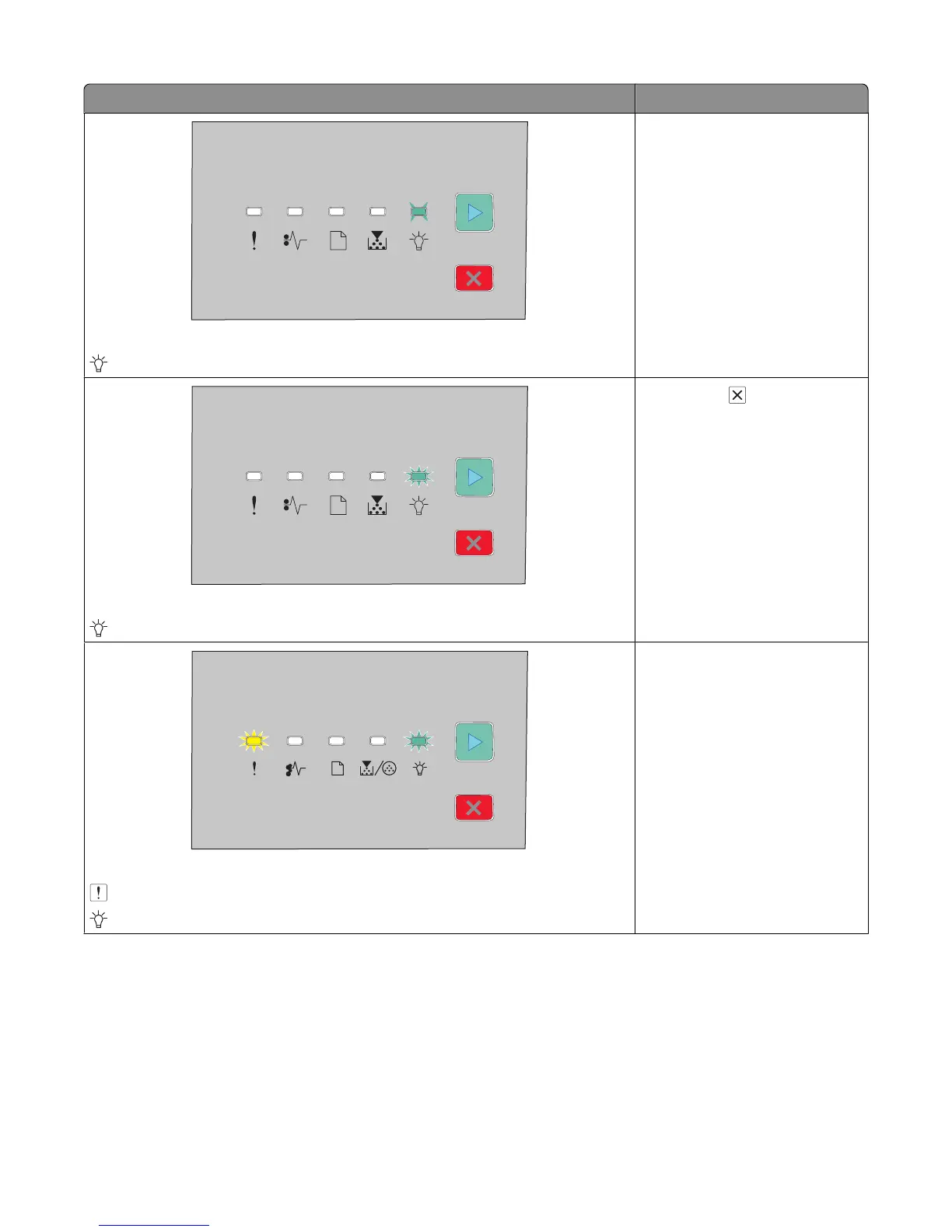
Light sequence What you can do
Hex Trace Ready
- Slowly Blinking
Use Hex Trace to troubleshoot
printing problems. Turn the printer
off and then on again to return to
the Ready state.
Busy
- Blinking
Wait or press .
Flushing Buffer
- Blinking
- Blinking
Wait until the printer returns to the
Ready state.
Interpreting the printer control panel lights
31





 To Next Page