EasyManua.ls Logo

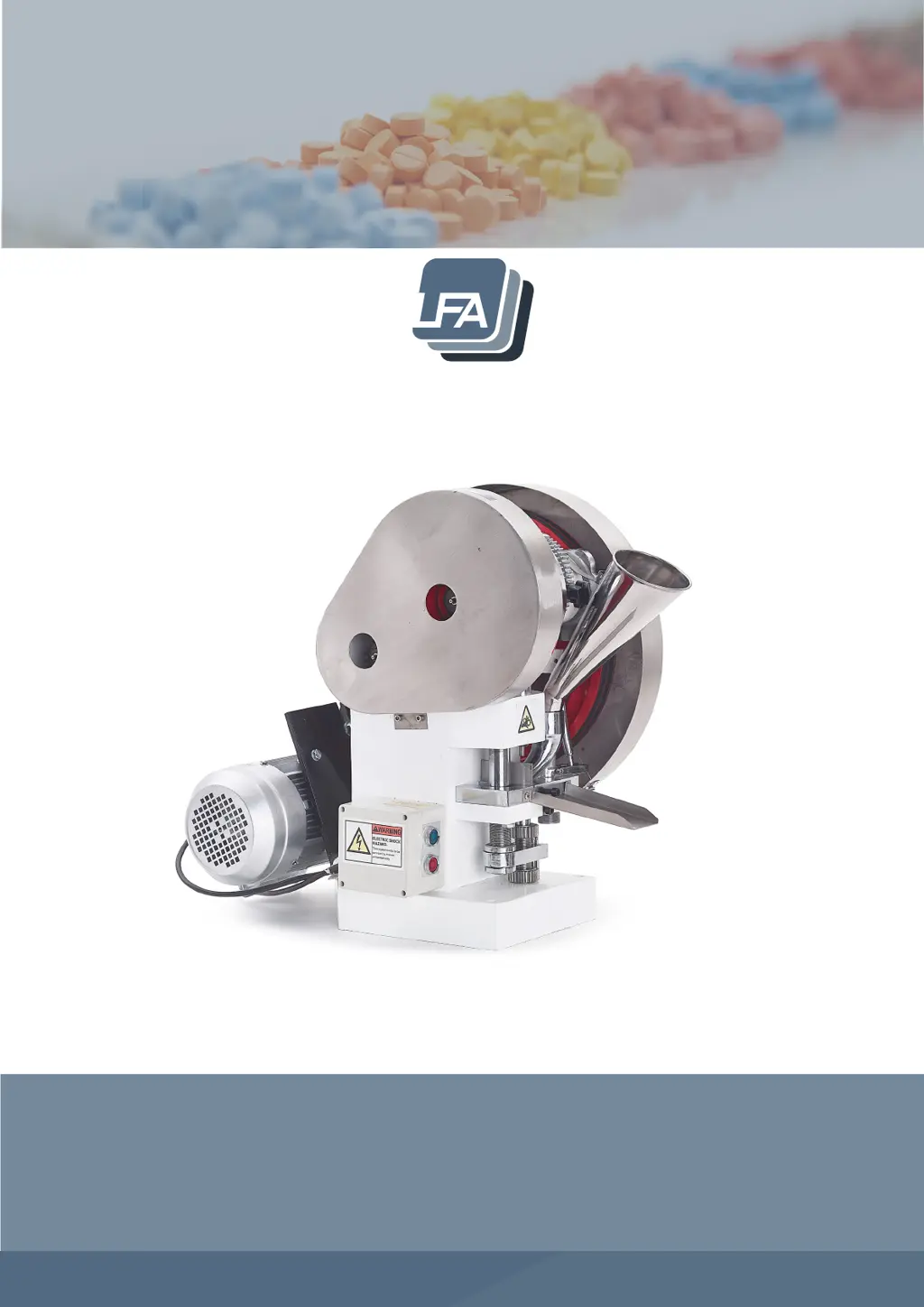
LFA TDP 6s - User Manual

LFA TDP 6s
81 pages
Print Icon
To Next Page IconTo Next Page
Loading...
We don’t just sell machines—
we provide service.
TDP 6s
®
Tablet Press User Manual

Questions and Answers

  • J
    Julia AllenSep 5, 2025
    Why LFA Power Tool machine freezes or locks up?
    • S
      sarahglennSep 6, 2025
      Your LFA Power Tool machine might freeze or lock up due to several reasons. The grease point areas may be dry, requiring regular oiling and greasing of all Grease Nipple points. There might be excess pressure on the Upper Drift Pin Assembly, which can be resolved by rotating it counterclockwise. Loose V Belts can also cause this issue; tighten them by adjusting the Motor Support Arm's nuts to the correct tension (92.47 [N]). Finally, starting the press with the Upper Punch at a low point can cause freezing; adjust the starting position so the Upper Punch is at the highest point.
  • B
    Bobby JohnsonAug 22, 2025
    Why is my LFA Power Tool machine freezing up?
    • M
      Malik RussellAug 22, 2025
      Your LFA Power Tool machine might be freezing up due to several reasons. The grease point areas may be dry, requiring regular oiling and greasing of all Grease Nipple points. Alternatively, there could be excess pressure on the Upper Drift Pin Assembly, which can be resolved by rotating it counterclockwise. Loose V Belts can also cause this issue; tighten them by adjusting the Motor Support Arm's nuts to the correct tension of [N] 92.47. Finally, ensure the starting position isn't with the Upper Punch at a low point; adjust it to the highest point.
  • A
    Amber SchroederSep 3, 2025
    What causes double tablets with LFA TDP 6s Power Tool?
    • M
      Matthew VazquezSep 3, 2025
      Double tablets in your LFA Power Tool can occur if a previous tablet did not eject correctly; remove the double tablet manually from the Die bore. Excess granular materials in the Die, preventing ejection of the existing tablet, can also cause this; clean the Tooling to remove any excess granular materials and ensure it is clean and completely dry.
  • B
    Brandon RubioSep 2, 2025
    What causes shattered tablets with LFA Power Tool?
    • J
      John SmithSep 2, 2025
      Shattered tablets from your LFA Power Tool can occur if the Boot Timing Bar and the Boot are not adjusted properly; adjust the Boot Timing Bar by loosening/tightening its bolt and moving it. Air becoming trapped in the tablet during compression can also cause shattering. The ejection height may be incorrect; rotate the Upper Cog in the Lower Drift Pin Assembly by hand until the ejection height is at the correct level.
  • R
    Robert CaseAug 31, 2025
    Why powder sticks to the Lower Punch of my LFA Power Tool?
    • A
      Andrea NguyenAug 31, 2025
      If powder is sticking to the Lower Punch of your LFA Power Tool, there may be issues with the mix. Adjust your formulation.
  • V
    Victoria ReedAug 30, 2025
    What causes cracked or broken tablets with LFA TDP 6s?
    • J
      Jeffrey McclainAug 30, 2025
      Cracked or broken tablets from your LFA Power Tool can result from problems with the formulation of the granules and ingredients. If the machine is able to make tablets with LFA's Firmapress®, then the problem is your mix, so adjust your formulation. It can also be caused by excess pressure.
  • N
    nicholasmayerAug 29, 2025
    Why powder sticks to the Upper Punch of my LFA TDP 6s?
    • C
      Carl BradleyAug 29, 2025
      Powder sticking to the Upper Punch in your LFA Power Tool can be due to damage to the Tooling or the Tooling's design. Remove and replace the Tooling (Upper Punch, Lower Punch, and Die). It can also be caused by issues with the mix, so adjust your formulation.
  • H
    hwilliamsAug 27, 2025
    What to do if my LFA TDP 6s Power Tool has heavy resistance during production?
    • C
      Cindy DonaldsonAug 27, 2025
      If your LFA Power Tool experiences heavy resistance during production, the high friction areas may be unclean, locked, worn out, or not properly greased. Apply grease to the Grease Nipple points and all high friction areas on the machine.
  • A
    anne83Aug 26, 2025
    Why LFA Power Tool can’t compact materials to tablet form?
    • L
      Lauren BraunAug 27, 2025
      If your LFA Power Tool is unable to compact materials into tablet form, several factors could be at play. The Boot might be blocked, restricting material flow; check the Boot for clogs. Ensure the Boot Timing Bar is secured by tightening its nuts and bolt. Insufficient pressure can also prevent compaction; increase the punch pressure by moving down the Pressure Adjustment to lower the Upper Drift Pin Assembly. A broken Lower Punch will hinder compaction; remove the Lower Drift Pin Assembly to access and replace the Tooling. Ensure the Lower Drift Pin Assembly drops properly during filling, checking for powder buildup and adequate clearance. Finally, if the machine can make tablets with LFA's Firmapress®, adjust your mix formulation.
  • D
    David EdwardsAug 25, 2025
    How to fix inconsistent tablet weight with LFA TDP 6s Power Tool?
    • B
      Bobby RomeroAug 26, 2025
      Inconsistent tablet weight in your LFA Power Tool can be caused by a loose Lower Drift Pin Assembly Locking Bar; ensure it is secured to the Lower Drift Pin Assembly and the Lower Drift Pin Assembly Cogs. Insufficient pressure can also be a factor; increase punch pressure by moving down the Pressure Adjustment to lower the Upper Drift Pin Assembly. Additionally, flowing issues with the mix can contribute to this problem; if the machine works with LFA's Firmapress®, adjust your formulation.

Summary

Important Safety Information

Intended Use, Hazards, and Protection

Defines machine purpose, potential misuse, and user safety guidelines.

Safety Symbols and Emergency Stops

Explains warning symbols and procedures for safe machine shutdown in emergencies.

Installation Safety

Guidelines for safe machine installation and conducting a safety assessment.

TDP 6 s Operation and Setup

Preface and Training Resources

Introduction to the TDP 6s® and available training options like articles and videos.

Installation and Mounting Procedures

Covers installation requirements, workstation setup, and machine mounting.

Controls and Tablet Production Process

Overview of machine controls, components, and the step-by-step tablet creation process.

Settings and Adjustments Guide

How to adjust ejection height, fill depth, and punch pressure for optimal tablet quality.

Maintenance, Repair, and Troubleshooting

Routine Maintenance and Lubrication

General maintenance guidelines, lubrication schedules, and procedures for machine upkeep.

Repair and Part Replacement

Guidance on identifying wear parts, causes of damage, and replacing components.

Troubleshooting Common Issues

Solutions for machine malfunctions and common tablet production problems.

Cleaning and Storage Procedures

Procedures for cleaning the machine after use and proper storage methods.

Appendix and Technical Information

Glossary and Parts Description

Definitions of technical terms and detailed descriptions of machine parts.

Technical Specifications

Key data including capacity, dimensions, and power requirements.

Technical Diagrams and Schematics

Visuals like tooling dimensions, mounting, and exploded views.

LFA TDP 6s Specifications

General IconGeneral
BrandLFA
ModelTDP 6s
CategoryPower Tool
LanguageEnglish