15
Phone Overview
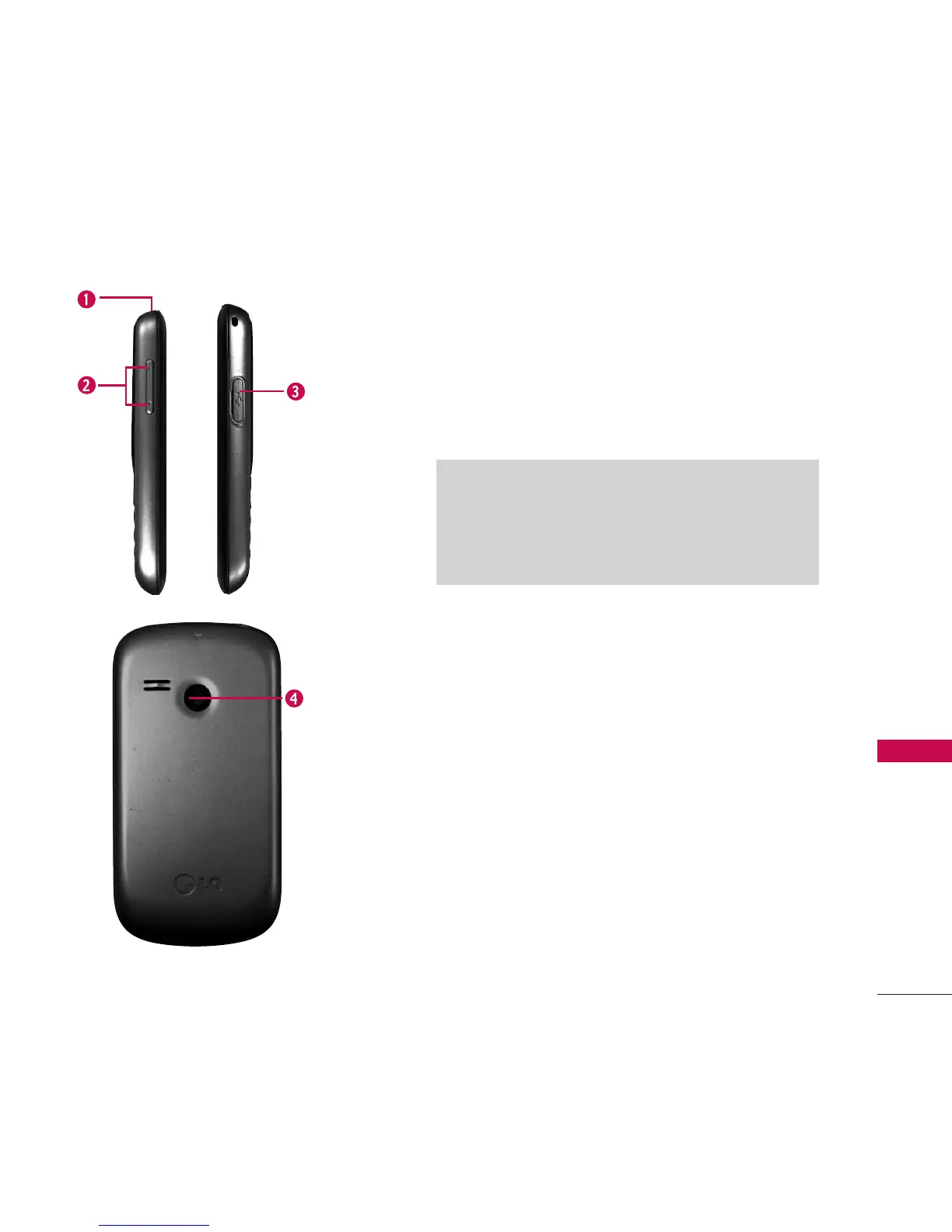
1. Earphone Jack Allows the use of a hands-free headset.
2. Volume Keys Use to adjust the ringtone volume from the Home
screen and the earpiece volume during a call.
3. Charger/Accessory Port Connects the phone to the battery charger
or other available accessories.
4. Camera Lens Used to take photos. Keep it clean for optimal photo
quality.
Charging with your PC via USB
You can use your computer to charge your phone. Connect one
end of a USB cable to the charger/accessory port on your
phone and the other end to a high-power USB port on your PC.
When char
ging via a USB hub, be sure to use a powered USB
hub.


 To Next Page