EasyManua.ls Logo

LG 200 - Menus Overview

LG 200
194 pages
Print Icon
To Next Page IconTo Next Page
To Previous Page IconTo Previous Page
Loading...
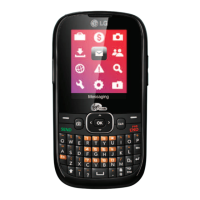
Menus Overview
17
Menus Overview
My Stuff
Games
Ringtones
Graphics
Apps
Ringback Tones
My Account
1. Top-Up
2. Balance + Usage
3. Virgin Alerts
4. Service Settings
Pictures
1. Take a Picture
2. My Pictures
3. Settings
4. Help
Downloads
Messaging
1. Messages
2. Send Message
3. Email + IM
4. Voicemail
1. Call Voicemail
2. Voicemail Details
3. Clear Icon
5. Virgin Alerts
6. Msg Settings
1. Notification
2. Signature
3. Auto Text
4. Text Entry
Contacts
Surf the Web
Missed Alerts
Search
Tools
1. Alarm Clock
2. Calendar
Menu Access
Press Menu to access the phone’s main menu. There are two methods of accessing
menus and sub-menus:
Use the navigation key to highlight and select an option, or
Press the number key that corresponds with the menu (or sub-menus).

Table of Contents