27
Contacts in Your Phone’s Memorye
4. Select
New Contact
, enter a name (up
to 64characters) and enter a number.
5. While entering a number, press the Right
Option Button
Options.
6. Press
Hard Pause
or
2-sec
Pause
.
7. Enter the additional number(s) and
press the Left Option Button
Done
.
Adding a Pause or Wait to an Existing
Number
1. Press
Menu
.
2. Press
Contacts
.
3. Use to highlight the Contact entry
to edit, then press
View
.
4. Press the Right Option Button
Options
and select
Edit.
5. Use to highlight the number.
6. Press
7. Press the Right Option Button
Options
.
8. Press
Hard Pause
or
2-sec
Pause
.
9. Enter the additional number(s) and
press the Left Option Button
Done
.
Searching Your Phone’s Memory
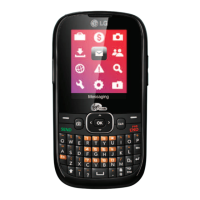
The
LG200
phone is able to perform a
dynamic search of the contents in your
phone’s Contact List. A dynamic search
compares entered letters or numbers on
the dialpad against the entries in your
Contacts. A matching list is displayed in
descending order. You can then select a
number from the list to call or view it.
Searching by Letter
1. Press
Menu
.
2. Press
Contacts
.
3. Start entering the Contact name. The
matching entries will be automatically
highlighted.


 To Next Page