Auto Tuning
Manual Tuning
Favorite Channel
PICTURE
O
AUDIO
O
TIME
O
OPTION
O
SETUP G
Prev.
Menu
TIME MACHINE
O
44
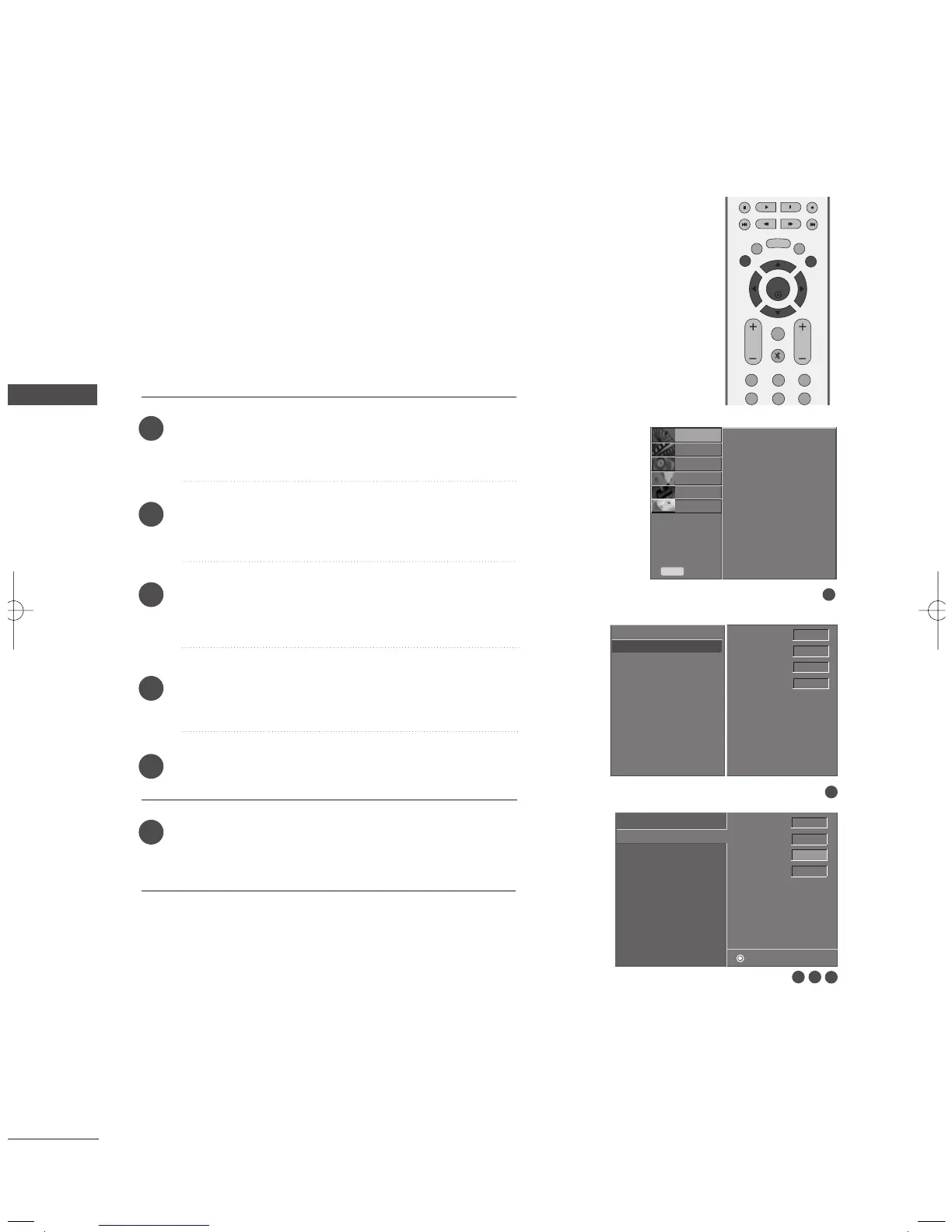
FINE TUNING ADJUSTMENT
WATCHING TV / SETUP CONTROL
WATCHING TV / SETUP CONTROL
Normally fine tuning is only necessary if reception is poor.
To remove fine tuning from a channel, reprogram the finely-tuned channel with
Auto Tuning or Manual Tuning.
If a finely-tuned channel is memorized, the color of the channel number
changes to yellow.
1
2
3 4
Press the
MMEENNUU
button and then use
DD
or
EE
button
to select the
SSEETTUUPP
menu.
Press the
GG
button and then use
DD
or
EE
button to
select
MMaannuuaall TTuunniinngg
.
Press the
GG
button and then use
DD
or
EE
button to
select
FFiinnee
.
Press the
FF
or
GG
button to adjust the picture to your
preference.
Press the
EENNTTEERR
button to store it.
Press the
EEXXIITT
button to return to TV viewing or
press the
MMEENNUU
button to return to the previous
menu.
1
2
3
4
5
6
TV 7
Memory on
Fine 0
Booster on
Auto Tuning
Manual Tuning {
Favorite Channel
Auto Tuning
Manual Tuning
Favorite Channel
Store
TV 7
Memory on
Fine
FF GG
0
Booster on
5
MFL36546204en_2 12/31/07 2:04 PM Page 44


 To Next Page