EasyManua.ls Logo

LG 32LB9RT - Low-Power Picture Mode

LG 32LB9RT
124 pages
Print Icon
To Next Page IconTo Next Page
To Previous Page IconTo Previous Page
Loading...
Language
Input Label
SIMPLINK
Key Lock
Caption/Text
Set ID
ISM Method
Low Power
SETUP
O
PICTURE
O
AUDIO
O
TIME
O
OPTION G
Prev.
Menu
TIME MACHINE
O
93
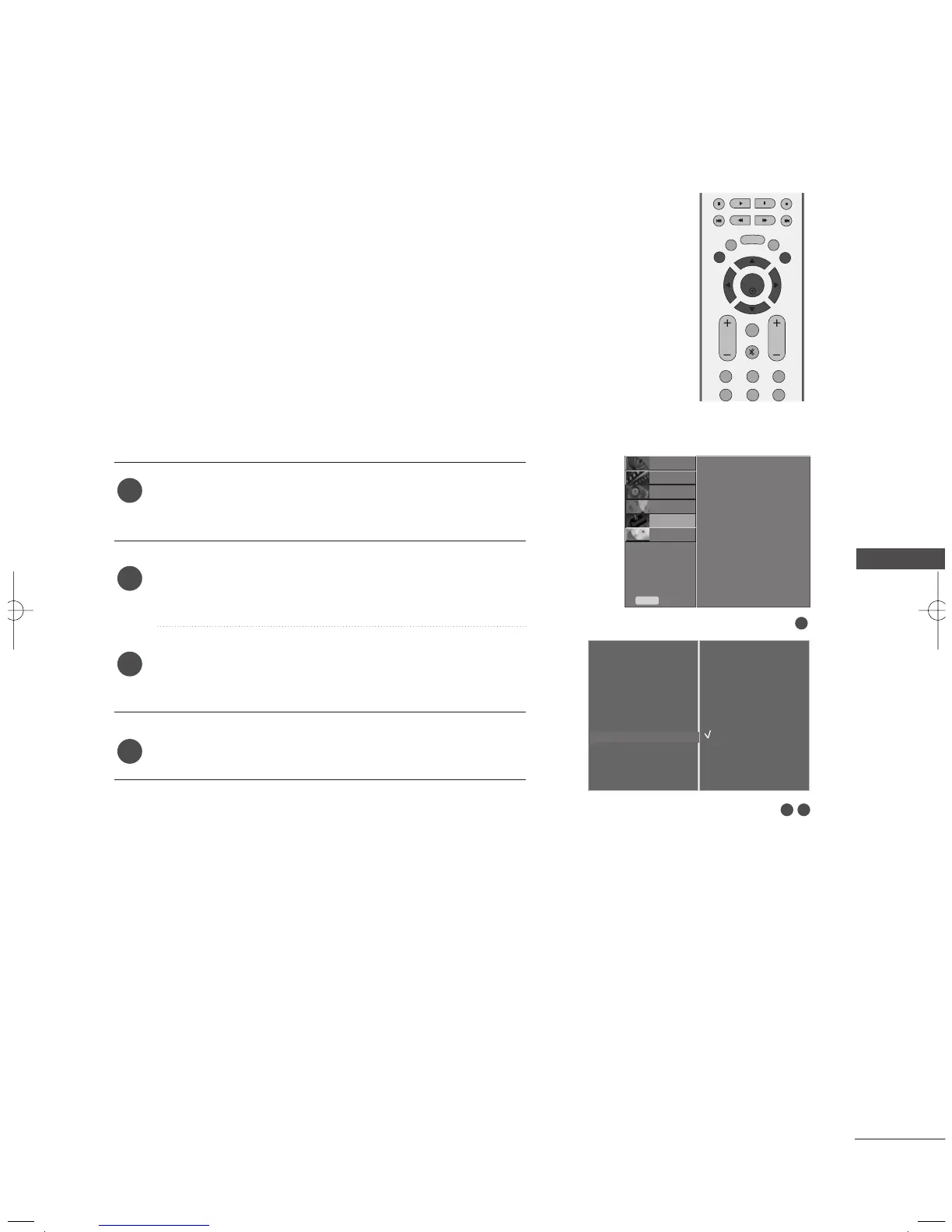
LOW-POWER PICTURE MODE
PICTURE CONTROL
This is the function to reduce the power consumption of the set.
It’s not available to use this function in LCD models.
Press the
MMEENNUU
button and then
DD
//
EE
button to
select the
OOPPTTIIOONN
menu.
Press the
GG
button and then
DD
//
EE
button to select
LLooww PPoowweerr
.
Press the
GG
button and then
DD
//
EE
button to select
OO nn
or
OOffff
.
Press the
EEXXIITT
button to return to TV viewing.
1
2
3
4
1
32
Language
Input Label
SIMPLINK
Key Lock
Caption/Text
Set ID
ISM Method
Low Power
G
Off
On
MENU
VOL
CH
EXIT
CH EDIT
LIVE TV
TIME
MACHINE
123
456
FAV/
MARK
MUTE
ENTER
TIME
CONTROL
TIME
CONTROL
MFL36546204en_2 12/31/07 2:05 PM Page 93

Table of Contents

Other manuals for LG 32LB9RT

Related product manuals