40
WATCHING TV / PROGRAMME CONTROL
WATCHING TV / PROGRAMME CONTROL
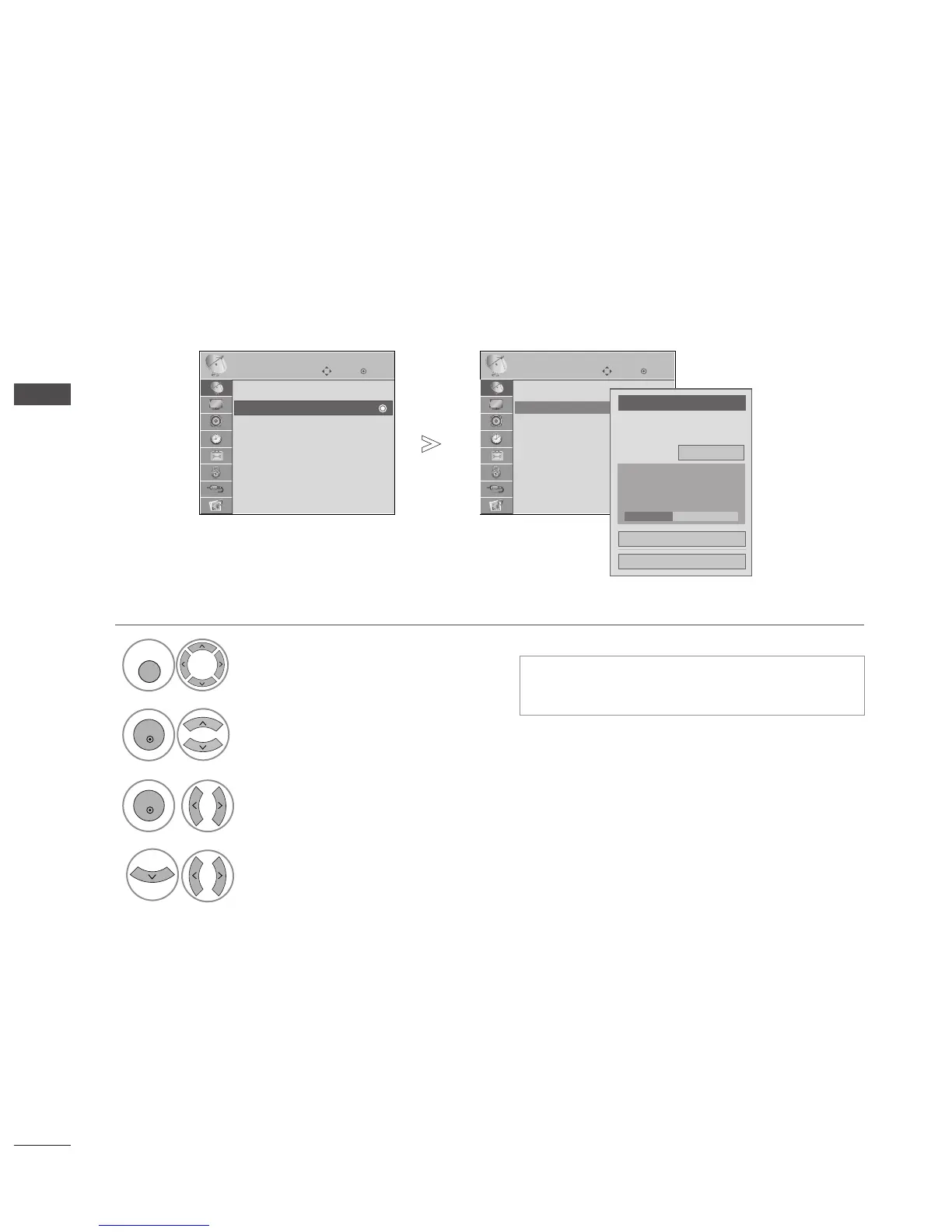
MANUAL PROGRAMME TUNING
(IN DIGITAL MODE)
Manual Tuning lets you manually add a programme to your programme list.
•
Use NUMBER buttons to input a 4-digit pass-
word in
LLoocckk SSyysstteemm
‘
OO nn
’.
Select
SSEETTUUPP
.
Select
MMaannuuaall TTuunniinngg
.
Select
DD TTVV
.
Select the desired channel number.
OK
Move
Auto Tuning
Manual Tuning
Programme Edit
Booster : On
Software Update : On
Diagnostics
CI Information
SETUP
Manual Tuning
OK
Move
Auto Tuning
Manual Tuning
Programme Edit
Booster : On
Software Update : On
Diagnostics
CI Information
SETUP
Manual Tuning
Your receiver will add this
channel to your channel list.
UHF CH.
Bad Normal Good
FF
DTV
GG
30
Close
Update
1



 To Next Page