SOUND & LANGUAGE CONTROL
OK
Move
Auto Volume : Off
Clear Voice : On
Balance 0
Sound Mode : Standard
•
SRS TruSurround XT
: On
• 80Hz 0
• 220Hz 0
• 470Hz 0
AUDIO
E
LR
OK
Move
Auto Volume : Off
Clear Voice : On
Balance 0
Sound Mode : Standard
•
SRS TruSurround XT
: On
• 80Hz 0
• 220Hz 0
• 470Hz 0
AUDIO
E
LR
GG
is a trademark of SRS Labs, Inc.
GG
TruSurround XT technology is incorporated under license from SRS Labs, Inc.
85
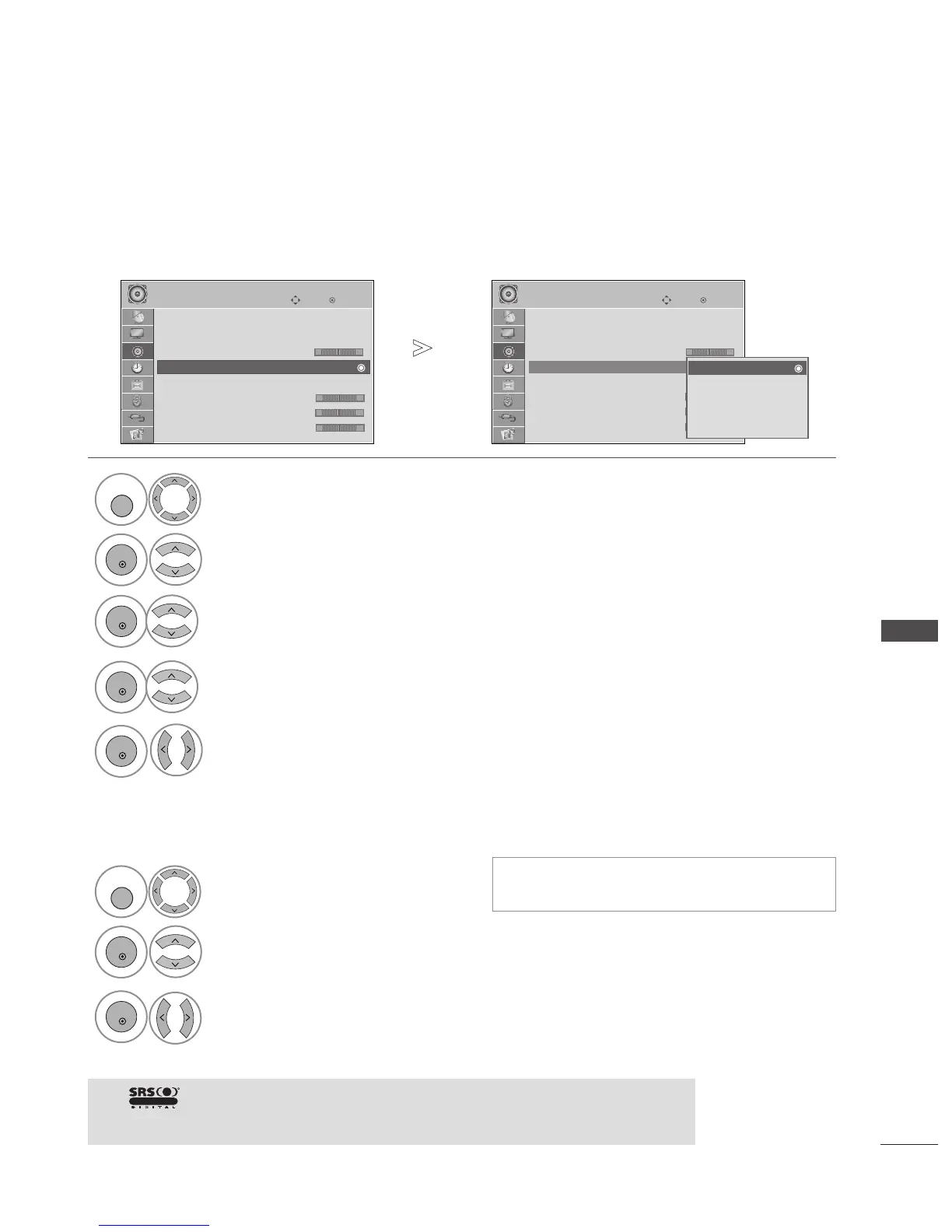
SOUND SETTING ADJUSTMENT -USER MODE
SRS TRUSURROUND XT
Adjusting the audio equalizer.
Select
AAUUDDIIOO
.
Select
SSoouunndd MMooddee
.
Select
SSttaannddaarrdd,, MMuussiicc,, CCiinneemmaa,, SSppoorrtt
or
GGaammee
.
Set the desired sound level.
Select a frequency band.
Sound Mode Standard (User)
Sound Mode : Standard (User)
Select
AAUUDDIIOO
.
Select
SSRRSS TTrruuSSuurrrroouunndd XXTT
.
Select
OO nn
or
OO ffff
.
1



 To Next Page