76
PICTURE CONTROL
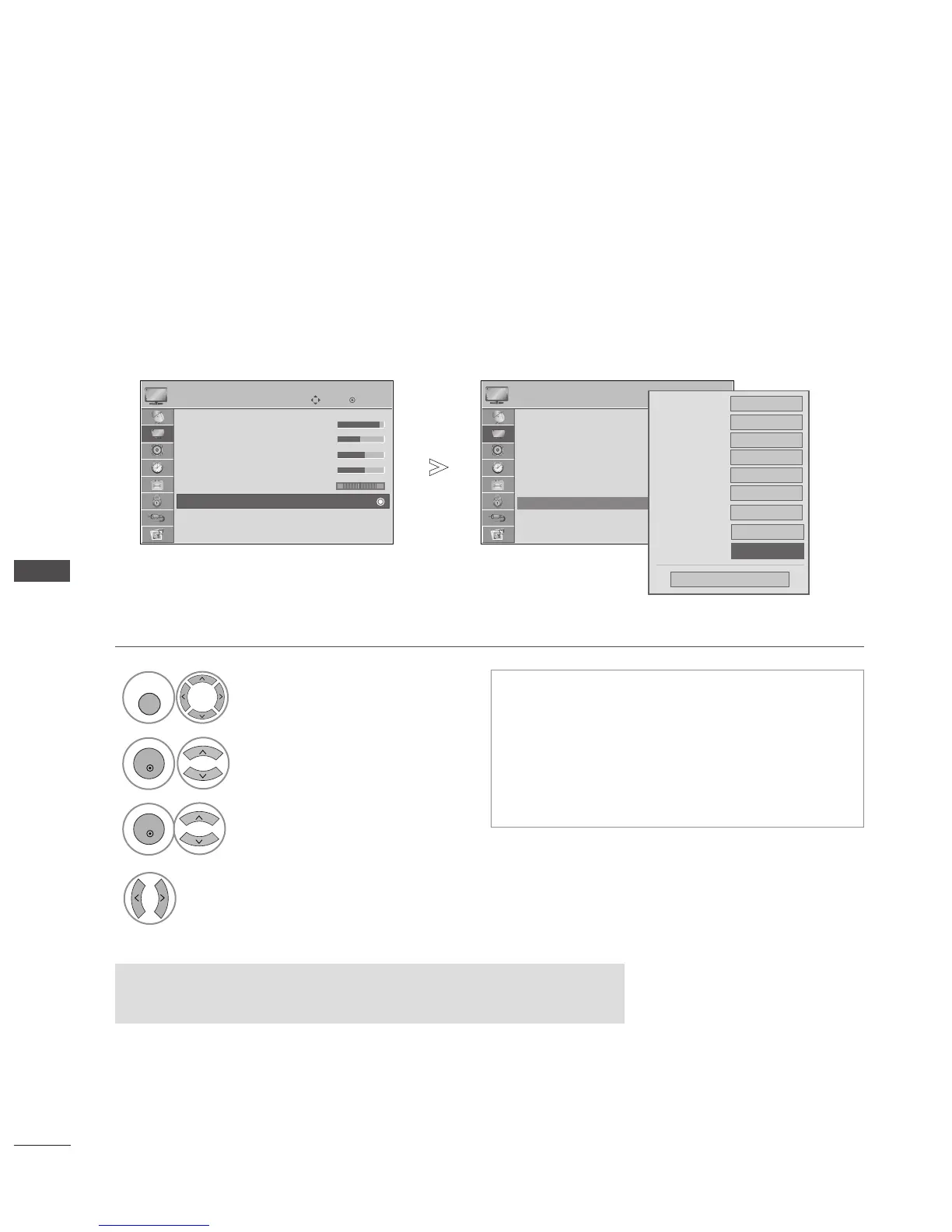
ADVANCED - TRUMOTION
(42/47LG60
**,
42LG61
**
Only)
PICTURE CONTROL
It is used for the best picture quality without any motion blur or judder when you enter a quick image or Film
Source.
This feature is disable in RGB-PC,HDMI-PC mode.
Select
PPIICCTTUURREE
.
Select
AAddvvaanncceedd CCoonnttrrooll
.
Select
TTrruuMMoottiioonn
.
Select
OO ffff
,
LLoo ww
or
HHiigghh
.
1
4
OK
Move
• Contrast 90
• Brightness 50
• Sharpness 60
• Colour 60
• Tint 0
• Advanced Control
• Picture Reset
Screen
PICTURE
• Advanced Control
OK
Move
• Contrast 90
• Brightness 50
• Sharpness 60
• Colour 60
• Tint 0
• Advanced Control
• Picture Reset
Screen
PICTURE
E
E
• Advanced Control
RG
Colour Temperature
Fresh Contrast
High
Fresh Colour
High
Noise Reduction
Medium
Medium
Gamma
Medium
Black Level
Off
TruMotion
Off
Eye Care
Auto
Close
FF
High
GG
Real Cinema
•
High
Provides smoother picture movement.
• Low
Provides smooth picture movement. Use this set-
ting for standard use.
• Off
Use this setting when "High" and "Low" setting
result in noise.
•
Press the
MMEENNUU
button to return to normal TV viewing.
• Press the
RREETTUURRNN
button to move to the previous menu screen.
• If you enable "TruMotion", noise may appear on the screen.
• If this occurs, set "TruMotion" to "Off".



 To Next Page