EasyManua.ls Logo

LG 32PG6000 - Clear Voice

LG 32PG6000
140 pages
Print Icon
To Next Page IconTo Next Page
To Previous Page IconTo Previous Page
Loading...
SOUND & LANGUAGE CONTROL
OK
Move
Auto Volume : Off
Clear Voice : On
Balance 0
Sound Mode : Standard
SRS TruSurround XT
: On
• 80Hz 0
• 220Hz 0
• 470Hz 0
AUDIO
E
LR
OK
Move
Auto Volume : Off
Clear Voice : On
Balance 0
Sound Mode : Standard
SRS TruSurround XT
: On
• 80Hz 0
• 220Hz 0
• 470Hz 0
AUDIO
E
LR
86
SOUND & LANGUAGE CONTROL
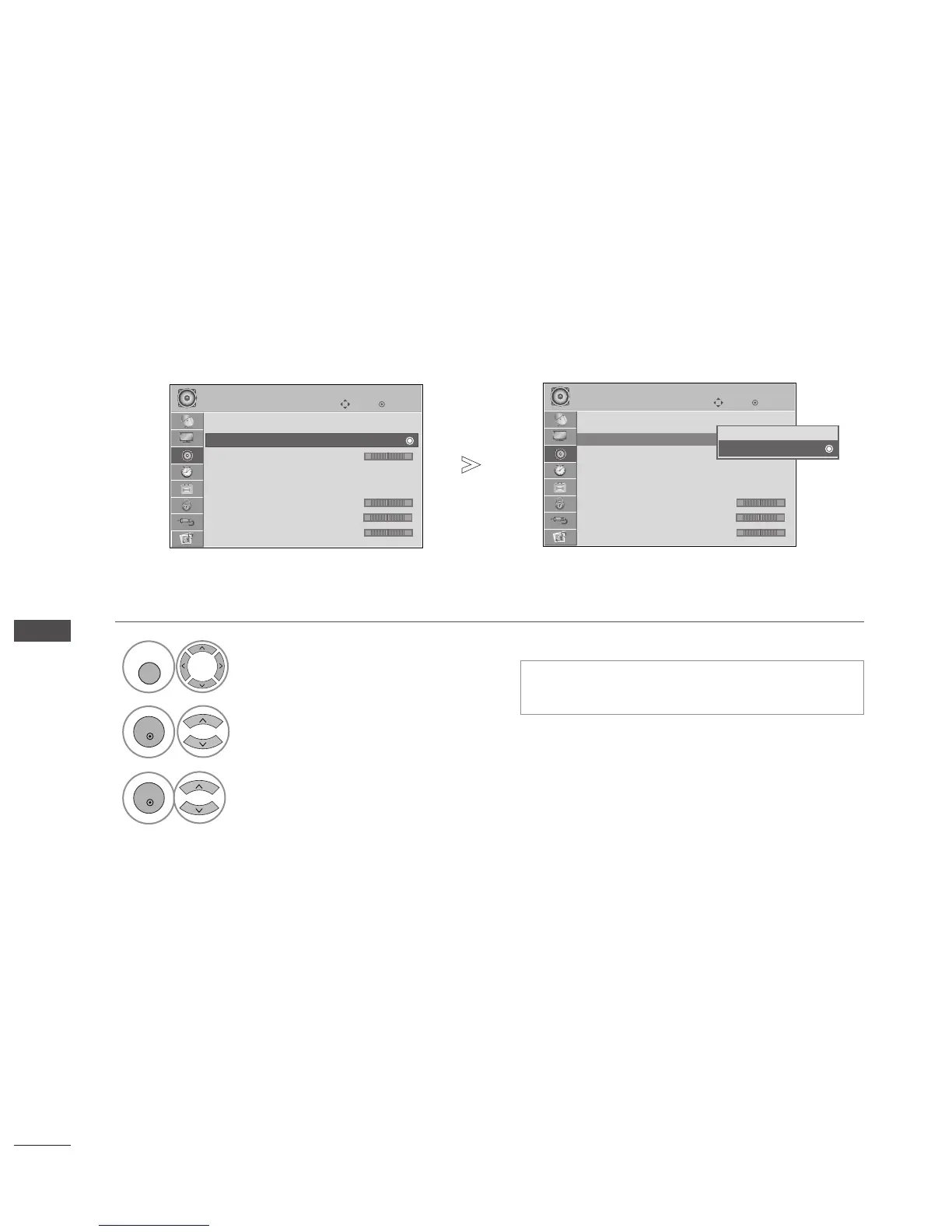
CLEAR VOICE
By differentiating the human sound range from others, it helps users listen to human voices better.
Select
AAUUDDIIOO
.
Select
CClleeaarr VVooiiccee
.
Clear Voice : Off
Clear Voice : Off
Off
On
On
Select
OO nn
or
OO ffff
.
1
MENU
3
2
OK
OK
Press the
MMEENNUU
button to return to normal TV viewing.
Press the
RREETTUURRNN
button to move to the previous menu screen.
If you select “
OO nn
” for
CClleeaarr VVooiiccee
,
SSRRSS
TTrruuSSuurrrroouunndd XXTT
feature will not work.
-+
-+
-+
-+
-+
-+

Table of Contents

Other manuals for LG 32PG6000

Related product manuals