DIAGNOSTICS
48
WATCHING TV / PROGRAMME CONTROL
WATCHING TV / PROGRAMME CONTROL
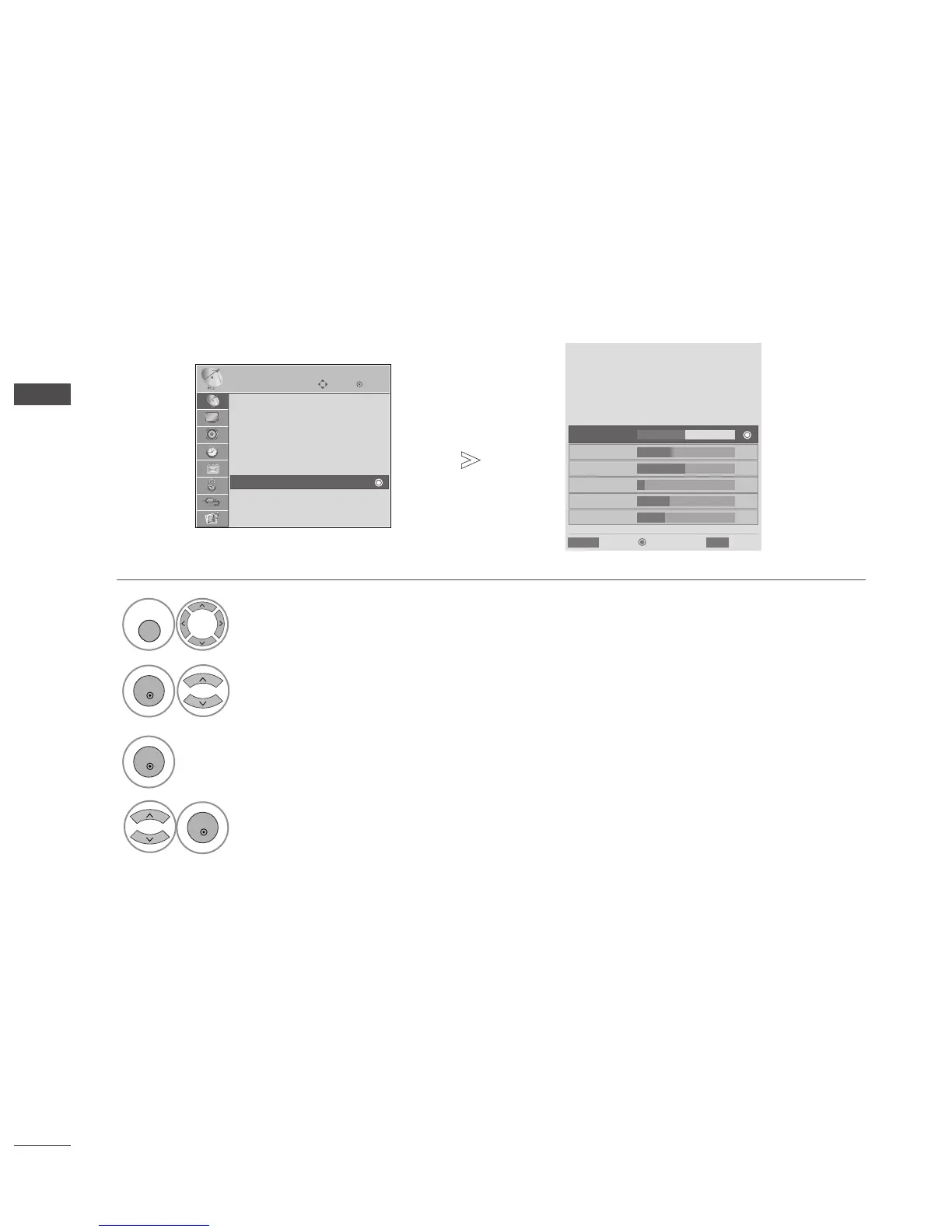
This function enables you to view information on the Manufacturer, Model/Type, Serial Number and Software
Version.
This displays the information and signal strength of the tuned MUX.
This displays the signal information and service name of the selected MUX.
Select
SSEETTUUPP
.
Select
DDiiaaggnnoossttiiccss
.
Display the information of Channel.
Display Manufacturer, Model/Type, Serial Number and Software Version.
OK
Move
Auto Tuning
Manual Tuning
Programme Edit
Booster : On
Software Update : On
Diagnostics
CI Information
SETUP
Diagnostics
1
Engineering Diagnostics
Manufacturer : LG Electronics Inc.
Model/Type : 50PG6000
Serial No. : SKJY1107
Software Version : V1.10.00
Popup
CH 34
CH 36
CH 38
CH 54
CH 60
Prev.
RETURN
Exit
MENU
CH 30
E
D
• Press the
MMEENNUU
button to return to normal TV viewing.
• Press the
RREETTUURRNN
button to move to the previous menu screen.



 To Next Page