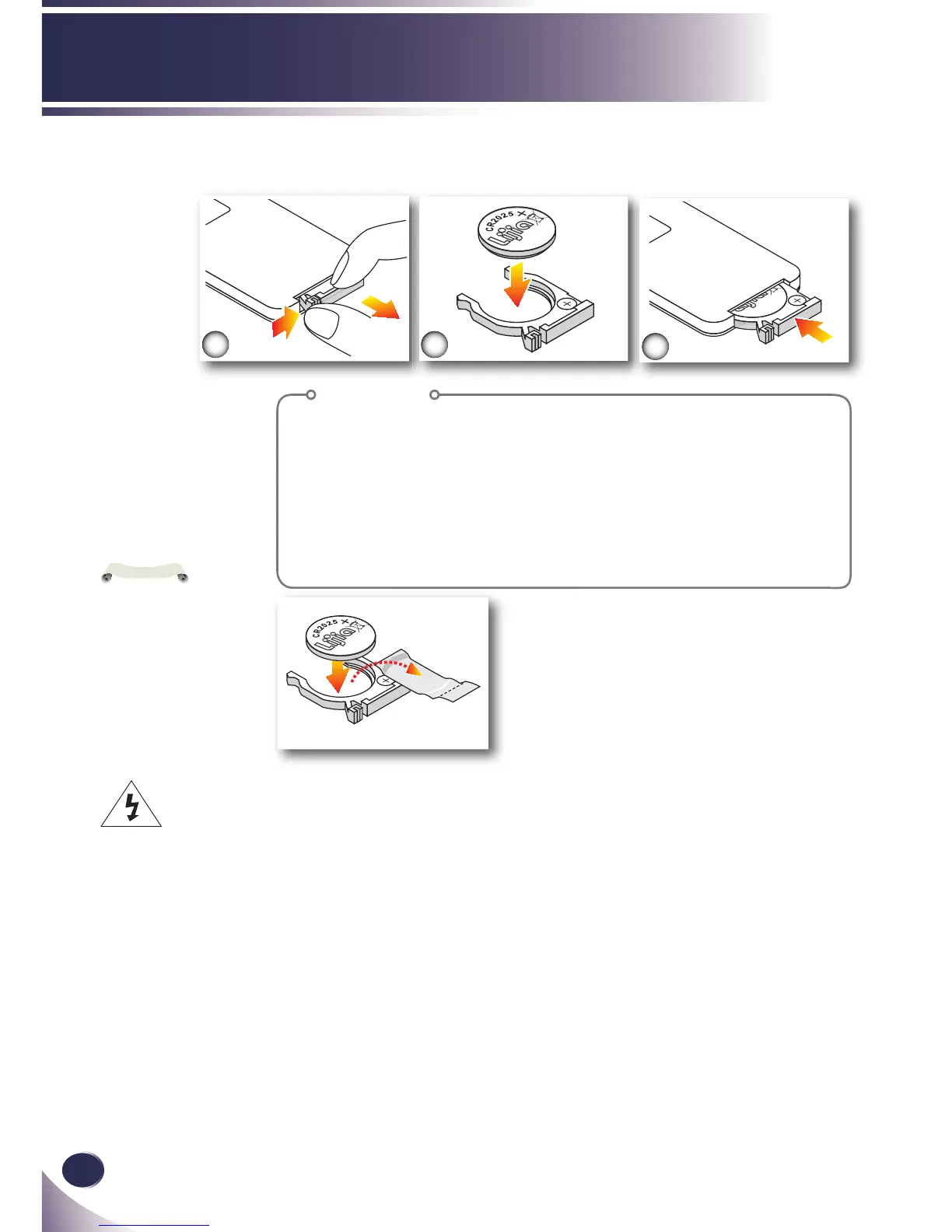
Procedure
1. Remove the battery holder by holding down the side
release rmly and pulling out the battery holder.
2. Insert a CR2025 coin cell battery and align the polarity
correctly according to the marking in the battery holder.
Ensure that the side with a “+” is facing up.
3. Replace the battery holder.
10
English
Introduction
Remote Control Battery Installation
Warning: To ensure safe operation, please observe the following precautions :
■ Use CR2025 type battery.
■ Avoid contact with water or liquid.
■ Do not expose the remote control to moisture or heat.
■ Do not drop the remote control.
■ If the battery has leaked in the remote control, carefully wipe the case clean and install new battery.
■ Risk of an explosion if battery is replaced by an incorrect type.
■ Dispose of used battery according to the instructions.



 To Next Page