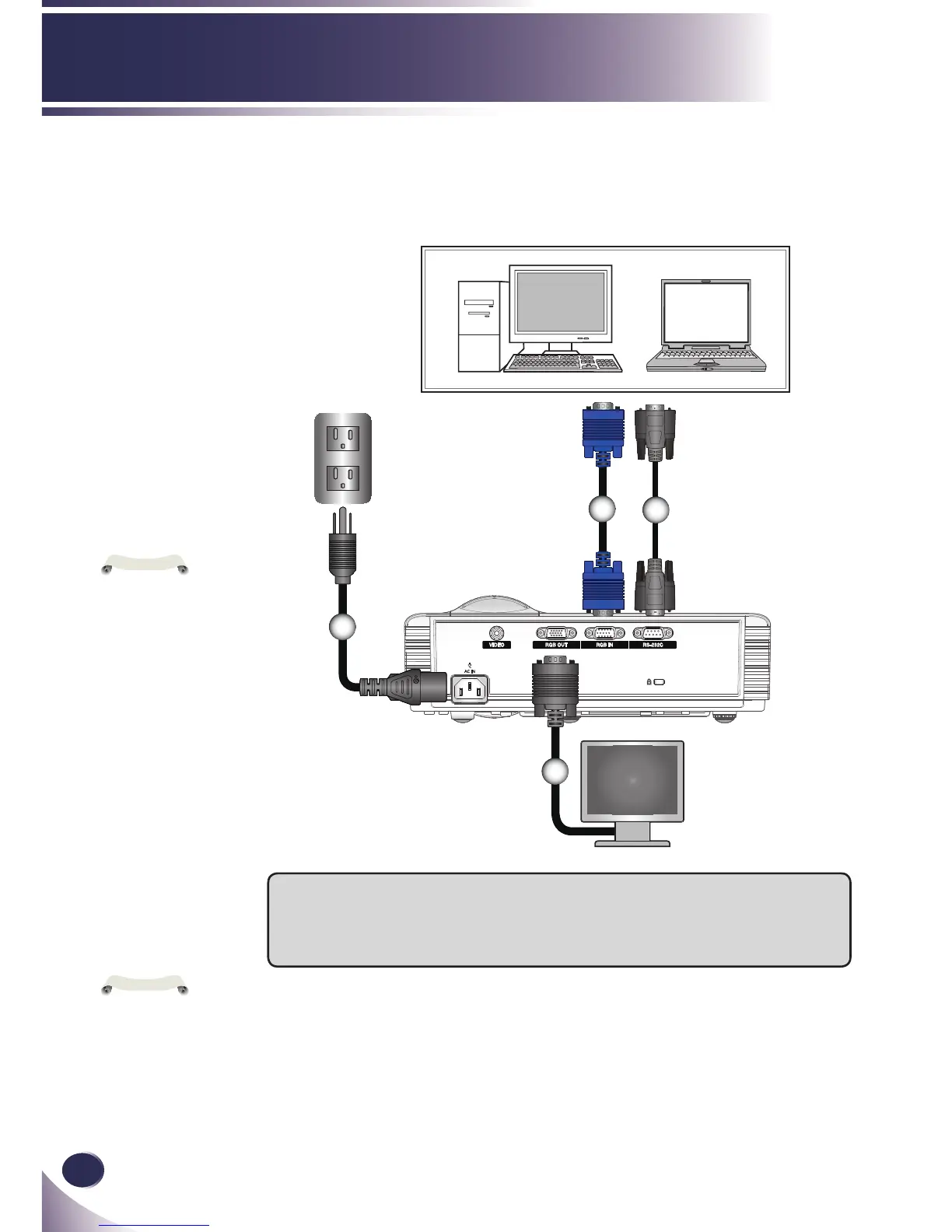
1...............................................................................................................Power cable
2...................................................................................Monitor out cable (optional)
3.................................................................................................................. RGB cable
4.......................................................................................... RS232C cable (optional)
Connect to Computer/Notebook
1
2
3
4
Optional Extras
To purchase optional extras, visit an electronics store or online shopping site or contact the retail
store where you purchased the product.
Without prior notice, optional extras are subject to change in order to improve the performance of
the product, and new accessories may be added.



 To Next Page