3-27
ONE POINT REPAIR GUIDE
1. NO POWER PROBLEM
No power problem occurs when you power on the unit.
1-1. Adapter
1-1-1. Solution
Replace the adapter.
1-1-2. How to troubleshoot (Countermeasure)
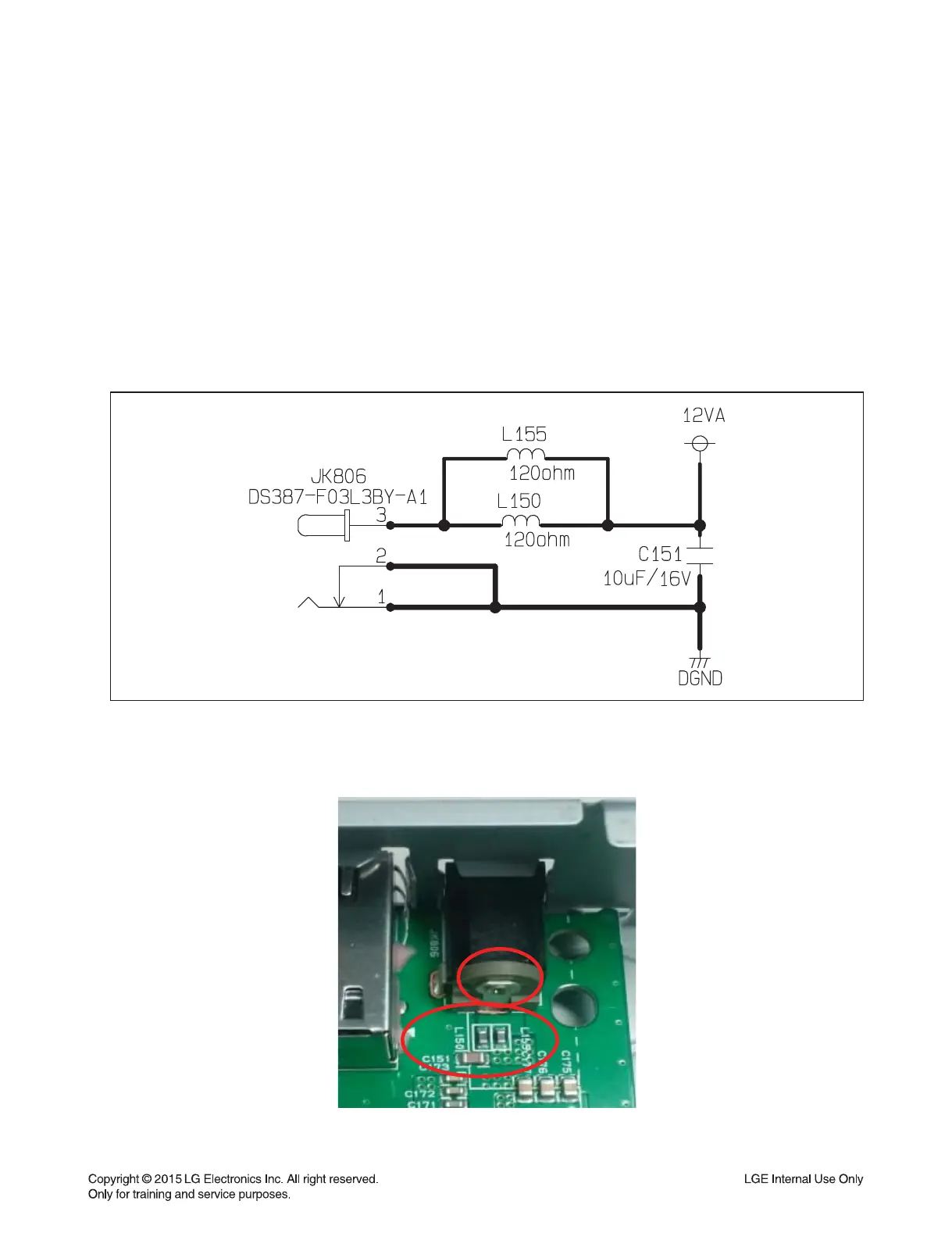
1) Check the 12 VA of JK806/ L150/ L155/ C151 on main board.
2) If it have 12 VA, refer to the next page for checking another reason.
3)
If it was abnormal, make sure the adapter connect to plug seat, and check the plug seat whether have power.
4) If plug seat have power and adapter connection is well, 12 VA still haven’t, replace the adapter.
1-1-3. Service hint (Any picture / Remark)
< DC-DC circuit >
JK806, L150, L155 and C151
< Main board top view >


 To Next Page