3-28
ONE POINT REPAIR GUIDE
2. LED DOESN’T LIGHT ON
Timer board doesn’t work.
2-1. 5.1 VA abnormal
2-1-1. Solution
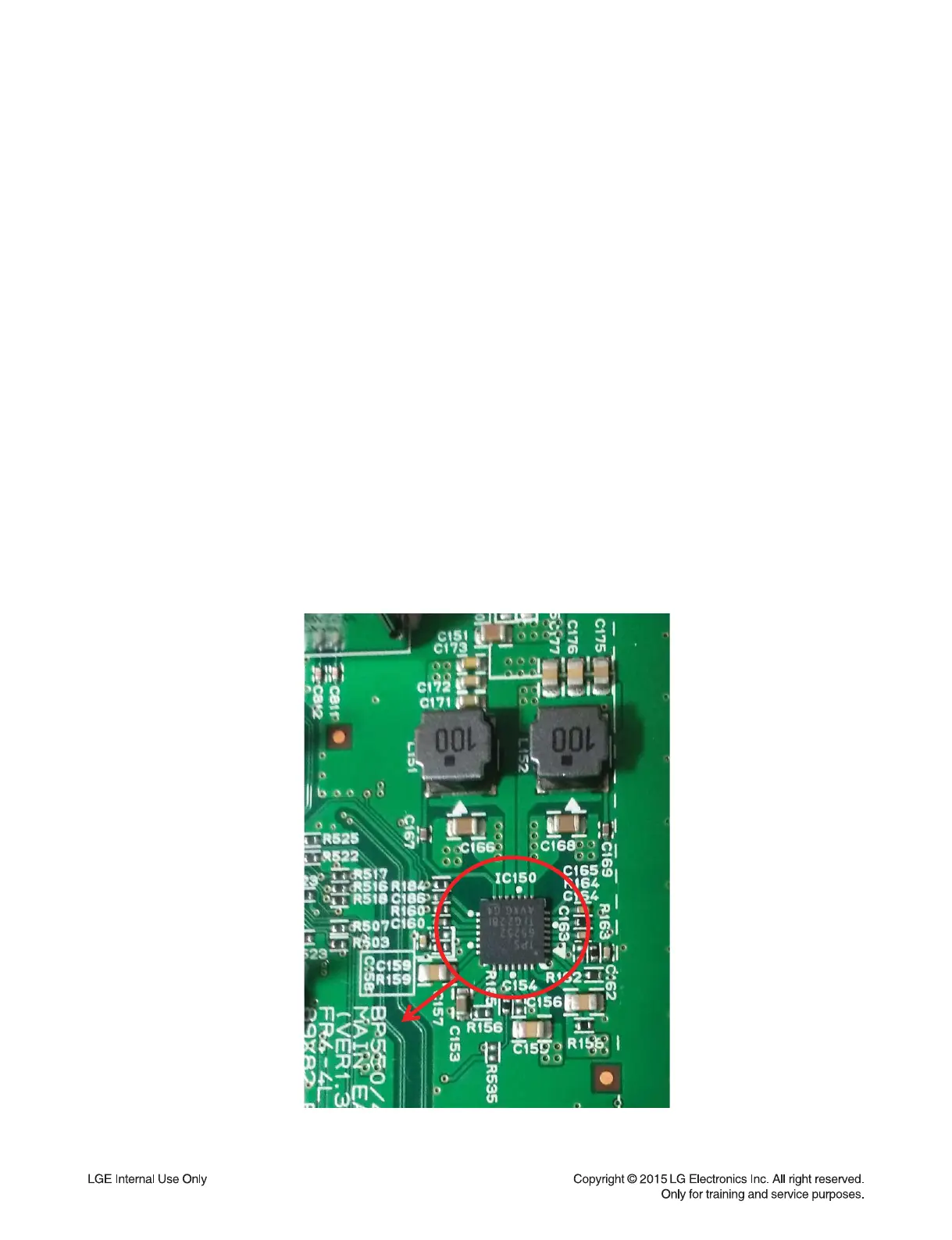
Replace the IC150.
2-1-2. How to troubleshoot (Countermeasure)
1) Check the 5.1 VA of IC150 pin9 or pin10.
2) If 5.1 VA doesn’t come out, check the IC150 pin8 or pin13 (12 VA).
If there is no 12 VA, check adapter (refer to 1-1-1 solution).
3) If 12 VA is OK, 5.1 VA is abnormal, check the PWR_CTL is high
and if it’s high check C165, L152, C169, R169, R170, R171, C174, C175, C176, C177
and there’s no defective component, replace IC150.
4) If 5.1 VA is OK, but 5 V from IC150 pin 28 is abnormal, check C155, C156, R158.
If there are high and no another defective component, replace IC150.
5) After changing it, if the set is still not booting:
- Check 1.2 V/ 3.3 V/ 3.3 VA is normal. (please refer to other sections of this guide)
- Check Crystal X501 refer to item 3-5.
- Check NAND flash IC (IC602) refer to item 3-6.
- Check DDR IC (IC601) refer to item 3-7.
- Check MPEG IC (IC501) refer to item 3-8.
2-1-3. Service hint (Any picture / Remark)
IC150
< Main board top view >
IC 150


 To Next Page