3-39
ONE POINT REPAIR GUIDE
5. WIRED NETWORK CONNECTION ERROR - (OPTION PART)
When you connect online service (like Youtube or Netflix2.1) through the wired LAN,
the “no connection” message appears.
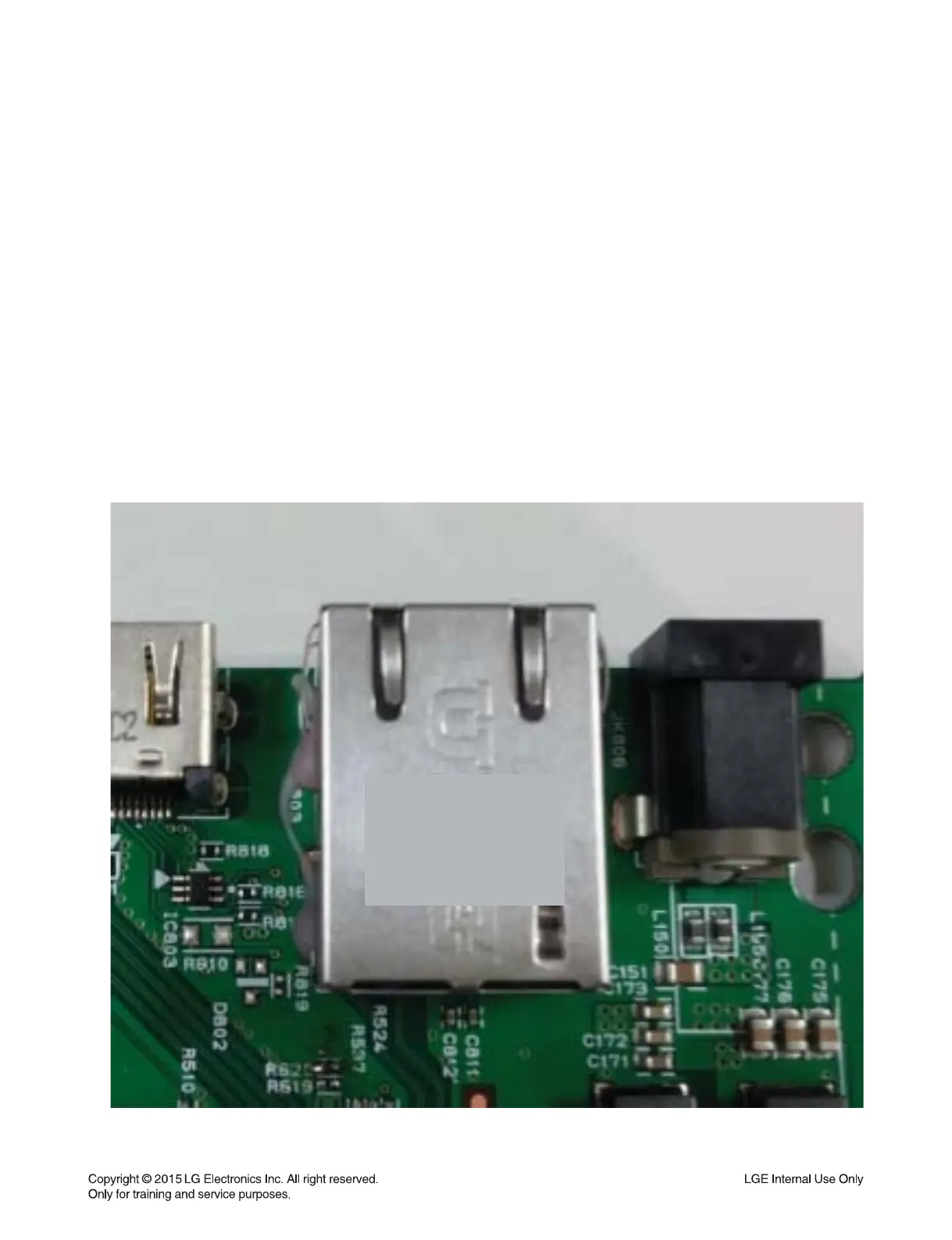
5-1. JK803 (Ethernet Jack)
5-1-1. Solution
Replace JK803 (Ethernet Jack) on main board.
5-1-2. How to troubleshoot (Countermeasure)
1) Check you internet connection.
Make sure it connect properly to modem or router.
2) If internet connection OK, please check the Ethernet Jack (JK803).
3) If there is soldering problem, please re-soldering pin JK803.
4) If after re-soldering problem still occurs, replace JK803.
5) If problem still occurs after change JK803, check MPEG IC (IC501).
Refer to item 3-8.
5-1-3. Service hint (Any picture / Remark)
JK803
< Main board top view >
JK 803


 To Next Page