4-3
HOW TO USE THE SA RESET FUNCTION
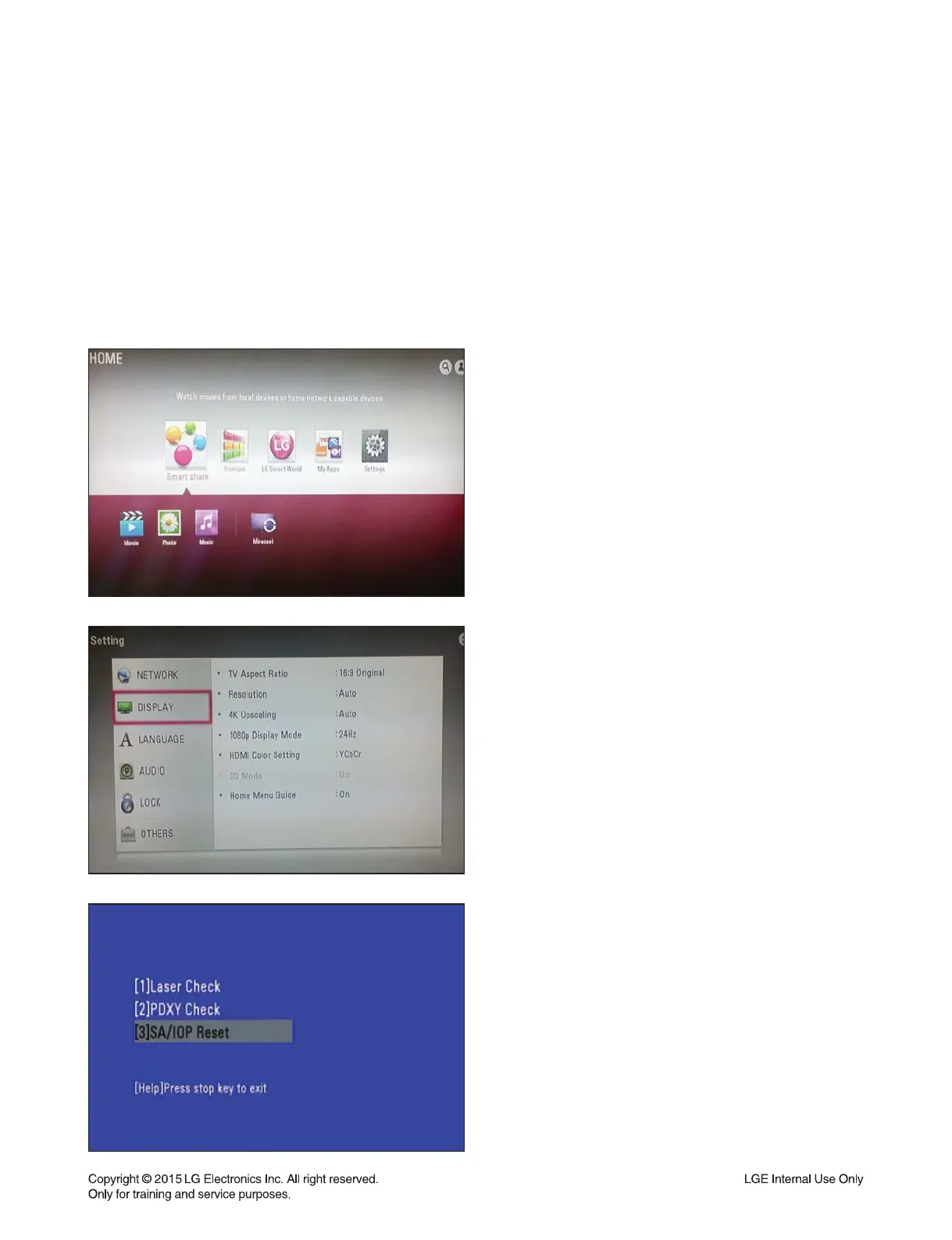
1) Power on the set (then, mode is in home menu).
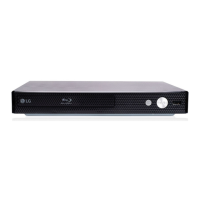
2) Press Settings.
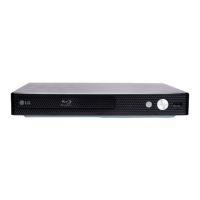
3) Under DISPLAY highlighted condition, press ‘5’ ->
‘1’ -> ‘7’ -> ‘7’ -> ‘7’ -> ‘7’ -> ‘7’-> ‘Enter’ on the remote
controller to display special mode. Move to [3]SA/IOP
Reset and click.
1. PURPOSE
In order to insert the new SA adjustment values, it needs clearing SA initial values of the flash memory.
2. REQUIRED SA RESET
- After changing traverse.
- After changing main board assembly.
- After changing main board flash IC.
3. SA RESET PROCEDURE


 To Next Page